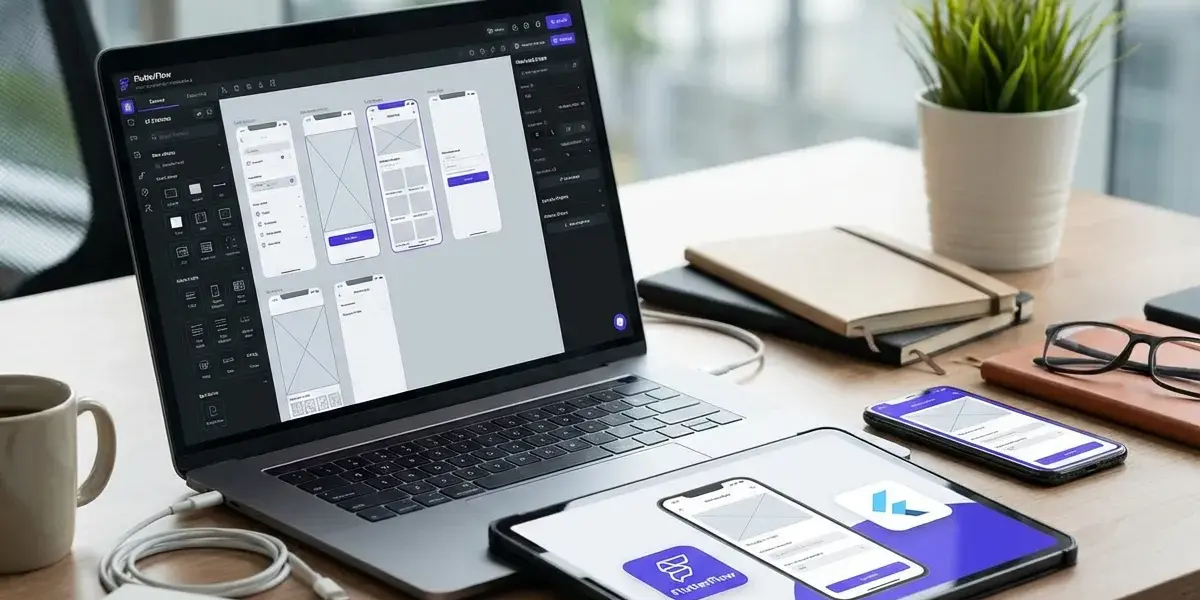
Tired of having your app idea stay on paper while the cost of hiring a developer is sky high? I've been there too. The FlutterFlow solution to create drag and drop mobile apps is the answer to help turn ideas into great apps for both iOS, Android and the web without needing to know code. This article is to share my insight on how to use this tool to create products quickly and economically, especially for startups or small businesses.
What is FlutterFlow and why is it a "game changer" for non-experts?
FlutterFlow is a powerful no-code development platform based on Google's Flutter that allows users to design, build, and publish mobile apps using an intuitive interface. This platform completely changes the way we make apps by eliminating complex technical barriers.
Many newbies often wonder What is FlutterFlow and how does it work? Simply put, it acts as a smart compiler. When you drag and drop buttons or images on the screen, the system will automatically write out the correct lines of code on the back. At Pham Hai, I realize this is a great step forward. It allows anyone to create real technology products.
Forget code, this is the drag-and-drop-into-app era!
With the drag-and-drop builder, you don't need to type any command lines and can still build a complete application. Every operation is intuitive and displayed immediately.
The era of No coding required has truly arrived. You just need to focus on user flow and experience, the technical part is taken care of. If you are looking for How to create a mobile app without code with FlutterFlow?, then drag and drop is the core answer. For those with no experience, reading Creating a no-code app guide for beginners is a great stepping stone to get up to speed faster.
Build once, run everywhere: iOS, Android, and the Web
FlutterFlow có thể xây dựng ứng dụng cho iOS, Android và web không? Chắc chắn là có, nền tảng này cho phép bạn tạo ra Ứng dụng đa nền tảng (Cross-platform app) chỉ từ một lần thiết kế duy nhất.
Instead of having to hire two separate programming teams for Apple and Google, you only need to do it once. The system will automatically adjust screen scaling and encoding for perfect compatibility. This contributes to Speed up development many times compared to traditional methods.
Power from Google's Flutter: Smooth performance, sparkling interface
Built on the Flutter framework platform, applications created from this tool possess extremely smooth performance, not inferior to traditional hand-coded apps.
As of the March 2026 update (with the upgrade to Flutter 3.38.5), the stability of the applications has reached its maximum level. Transition effects and animations all run smoothly at 60fps. This is the selling point that helps your app feel premium and professional.
Practical experience: What "cool" things can FlutterFlow do?
This tool does not stop at modeling, but it provides full tools to build a real product from interface, database to processing logic. It truly brings out the power of a miniaturized team of programmers.
Interface (UI/UX): Drag and drop widgets, unlimited customization like a pro
Designing professional drag-and-drop interfaces on FlutterFlow? is done easily through a huge library of hundreds of Widgets and Components (Interface Components).
You can create the ultimate User Interface (UI/UX) with High customization. In particular, with the latest FF Designer update in early 2026, the AI integration feature allows you to create complex screens with just a few lines of description (prompt). The system will automatically generate a standard layout in just a few seconds.
Backend and data: Integrate Firebase "in one fell swoop" to manage users and data
FlutterFlow tích hợp với Firebase và các API khác ra sao? Nền tảng này cung cấp cổng kết nối trực tiếp, cho phép bạn liên kết cơ sở dữ liệu và xác thực người dùng chỉ qua vài cú click chuột.
Backend integration (Firebase, Supabase, RESTful API) has never been easier. You can set up a secure Authentication system, storing information via Cloud Database (Cloud Firestore, Realtime Database) smoothly. In addition, the Push Notifications sending feature and Data Security standards are also built-in, helping your app operate like a professional machine.
Logic and automation: Handle business logic without complex command lines
The intuitive Action Flow system makes it easy to set up complex operational processes without writing code. Everything is arranged in a logical block diagram format.
You can easily build Business logic from shopping cart calculation, user authorization to Process automation sending emails. The tool also supports extremely smart State management, helping data on the screen always be updated in real-time without lag.
API and external connections: Call APIs from anywhere to extend app features
The system allows you to quickly and securely connect your app to any third-party service via API calls.
Whether you want to integrate the Stripe payment gateway, get weather data, or connect to an internal CRM system, anything is possible. The intuitive API management interface helps you directly test returned data before attaching it to components on the application screen.
Quick comparison of FlutterFlow with other No-code/Low-code platforms
Many people often Compare FlutterFlow with other no-code/low-code platforms? The biggest difference is that FlutterFlow focuses on the power of native mobile apps and source code ownership, while other tools are often limited to the web environment.
FlutterFlow vs. Bubble: When to choose which one?
Bubble is the king of complex web apps, while Google's platform dominates native mobile apps. The choice depends entirely on your platform goals.
If you want to build a browser-based SaaS system with a huge internal database, Bubble is the real deal. To learn more about this tool, you should take a look at the article Bubble.io creates web apps without programming. On the contrary, if your goal is to bring your app to the App Store and Google Play with a smooth touch and swipe experience, representatives from Flutter are an irreplaceable choice.
FlutterFlow vs. Adalo: The battle for simplicity and the power of customization
Adalo is extremely easy to learn and suitable for beginners who want to build apps quickly, but it lacks the deep customization power and extensibility performance of FlutterFlow.
| Criteria | Adalo | FlutterFlow |
|---|---|---|
| Độ khó | Very easy, suitable for beginners | Needs time to get used to |
| Hiệu năng | Run via Webview (medium) | Native Flutter (very smooth) |
| Khả năng mở rộng | Suitable for small, internal applications | Suitable for large applications, strong scale |
At Pham Hai, we always advise projects with a long-term vision to take the trouble to overcome the initial learning curve of the Flutter ecosystem in exchange for future sustainability.
Critical difference: Ability to export clean source code
Làm thế nào để xuất mã nguồn từ FlutterFlow? Rất đơn giản, bạn chỉ cần một cú click chuột vào nút "Download Code" hoặc đồng bộ trực tiếp lên GitHub để lấy toàn bộ mã nguồn ứng dụng.
This is the most "money-making" feature. Creating Clean source code helps you never become vendor locked-in to the platform. When the project grows, you can absolutely hire a developer to continue developing on that same code without having to rebuild it from scratch.
Start making your first app with FlutterFlow from A-Z
Hướng dẫn sử dụng FlutterFlow từ A-Z cho người mới bắt đầu? Quá trình này bao gồm 5 bước cơ bản, từ việc tạo tài khoản, thiết kế giao diện, kết nối dữ liệu, cho đến khi phát hành ứng dụng.
Step 1: Set up an account and get familiar with the interface
The first step is to visit the homepage, create a free account, and spend some time exploring the workspace.
The interface is divided into clear areas: the left toolbar contains widgets, the middle canvas frame is for designing, and the right property bar is for customizing color and size. Try creating a blank project and dragging a few buttons in to get used to it.
Step 2: Build the user interface using drag and drop
Use the mouse to drag elements such as text, images, and lists onto the screen and arrange them as desired.
You should start by dividing the layout by Columns and Rows. The system provides many beautiful interface templates. You can take advantage of them to save design time instead of having to do everything from scratch.
Step 3: Connect to the database (Firebase is the top choice)
Go to settings, paste your Firebase project code to have the platform automatically configure the database and authentication system.
After connecting, you can create data tables (Collections) right on the web interface. For example, create a "Users" table to store user information, a "Products" table to store a list of goods. Then, bind this data to lists (ListView) on the app screen.
Step 4: Test and debug directly in the browser
Click the "Test" button in the right corner of the screen to open the application simulation mode right on your web browser.
Test Mode allows you to interact with the app like a real user. You can try logging in, pressing buttons, scrolling the page to see if there are any logic errors. The Hot Reload feature helps any changes on the interface to be updated immediately without reloading the page.
Step 5: Publish the application to App Store and Google Play
Xuất bản ứng dụng (Deploy app, publish to App Store/Google Play) được thực hiện trực tiếp từ nền tảng thông qua tính năng Codemagic tích hợp sẵn.
You just need to enter developer certificates from Apple and Google, the system will automatically package (build) and push the installation to the application stores. This process completely eliminates the complexity of configuring a coding environment on a personal computer.
Cost of using FlutterFlow: "Expensive" or "cut into pieces"?
Chi phí sử dụng FlutterFlow và các gói dịch vụ? Tính đến năm 2026, nền tảng này cung cấp cấu trúc giá rất linh hoạt, từ gói miễn phí hoàn toàn cho đến các gói trả phí từ $39 đến $150 mỗi tháng.
Free plan: Enough for learning and building a basic MVP
The Free plan ($0/month) provides full core design features, making it ideal for those in the Learning FlutterFlow stage or testing ideas.
You can absolutely use this package to Build MVP apps quickly with FlutterFlow?. It allows you to connect Firebase, design unlimitedly, and run tests. However, you will not be able to export the source code or download APK/IPA files to install on a real phone.
Paid plans: When do you really need to upgrade?
From 2026, the platform has updated paid plans including Basic ($39/month), Growth ($80/month) and Business ($150/month) to cater to real production needs.
| Service Package | Cost (2026) | Outstanding features |
|---|---|---|
| Basic | $39/month | Download APK, export clean source code |
| Growth | $80/month | Teamwork, GitHub sync, translation |
| Business | $150/month | 500 times using AI, automated testing, branch management |
You should only upgrade to a paid plan when the application has completed its design and you really need to export the file to upload to the App Store, or when the project requires the coordination of many members.
ROI problem: Save costs and development time compared to traditional code
Many people ask How does FlutterFlow help save app development time and costs? In fact, it can cut construction time by up to 60% and reduce costs from tens of thousands of dollars to just a small fraction.
This is the biggest Benefits of FlutterFlow for startups and small businesses?. For a Startup Founder or Business Owner, Cost optimization and fast product launch (Time-to-market) are vital factors. This platform allows you to complete MVP (Minimum Viable Product) Development in weeks instead of months like before. Support from the growing FlutterFlow Community also makes it easy to find FlutterFlow Tutorials and resolve errors quickly.
Don't let not knowing how to code get in the way of your great business ideas. With the support of modern no-code tools, technical barriers have been almost completely eliminated. It allows you to focus 100% of your energy on understanding your customers and building a product that truly solves a market problem.
Are you ready to build your own mobile application? Register now for a free account on the system, try dragging and dropping the first few widgets and join technology enthusiast communities to learn together and develop your dream product today!
Lưu ý: Các thông tin trong bài viết này chỉ mang tính chất tham khảo. Để có lời khuyên tốt nhất, vui lòng liên hệ trực tiếp với chúng tôi để được tư vấn cụ thể dựa trên nhu cầu thực tế của bạn.