5 years ago, I used to think that making an app was something extremely difficult, requiring excellent coding knowledge and formal schooling. Then I accidentally discovered the world of no-code and manually dragged and dropped to create my first task management app in just one weekend. Believe me, the topic of creating an app without coding instructions for beginners has now become extremely popular, much easier and free than you think. You can absolutely do it yourself, even if you don't know a single line of programming. At Pham Hai, we have supported hundreds of small businesses and individuals to realize technology ideas with just a few mouse clicks.
5 free, easy-to-use no-code app creation platforms for beginners
Below are the 5 best free no-code app creation platforms today including TeraApp, Glide, Softr, Bubble and Adalo, helping you build mobile applications and web apps quickly via a drag and drop interface.
The market for app creation software without programming is booming in 2026. Instead of having to pay hundreds of millions of dong to a team of programmers, you can now create your own product. Below is a quick comparison table of the top app creation tools for you to easily visualize:
| Foundation | Core strengths | Support platform | Ease of use |
|---|---|---|---|
| TeraApp | Sales app, Vietnamese market | iOS, Android | Very easy |
| Glide | Turn Spreadsheet into app | Web, PWA | Very easy |
| Softr | Web app, Client Portal | Web app | Easy |
| Bubble | Complex web app, large scale | Web, PWA | Difficult |
| Adalo | Native Mobile App (IPA/APK) | iOS, Android, Web | Easy |
TeraApp: "High quality Vietnamese goods" to create sales and community management apps
TeraApp is a pure Vietnamese no-code platform, extremely well optimized for the needs of creating no-code sales apps, customer management and domestic payment integration.
This platform allows small businesses, marketers or online shop owners to quickly create mobile applications without language barriers. You can easily synchronize data with familiar e-commerce systems in Vietnam such as Haravan or Bizweb. TeraApp's drag-and-drop interface is intuitively designed, providing a variety of templates for many industries.
In particular, TeraApp supports sending push notifications and SMS marketing very conveniently to take care of old customers. This is a great choice if you want to hit the Vietnamese market strongly. If you want to automate bringing customer information from TeraApp to other CRM software, checking out Zapier's guide to automation for beginners will save you hours of manual work every day.
Glide: Turn Google Sheets file into an app in 5 minutes, no lies!
Glide allows you to create mobile and web apps directly from Google Sheets, Excel or Airtable data in just minutes with powerful AI support.
Glide's latest early 2026 update brings extremely intelligent AI data analysis. The system automatically reads and understands your spreadsheet structure, format and formulas to suggest the most suitable UI/UX interface. You just need to prepare a clean data file, Glide will automatically "transform" it into a warehouse management app, employee directory, or project progress tracking app.
Applications created from Glide operate as PWA (Progressive Web App), can be accessed via browser or QR code scan and installed on the home screen like a real app. To extend Glide's data flow to external server systems, setting up Make (Integromat) advanced automation is a perfect solution for content creators and freelancers.
Softr: Wizard of creating web apps and membership pages from Airtable or Google Sheets
Softr is the perfect tool to build professional web apps, client portals or membership sites based on existing databases.
In the March 2026 update, Softr has integrated the Vibe Coding block feature and supports the latest AI Agent models such as Gemini 3 and Claude 4.6. This makes the experience of creating web applications without code more flexible than ever. You can assign detailed user roles and permissions and create a Stripe payment gateway with just a few simple drag and drop operations.
Softr doesn't try to do everything, they focus on displaying data beautifully and securely. If you have a large data system and want to automate repetitive tasks within your business, you should learn more about What is RPA process automation to combine with the power of Softr.
Bubble: "Giant" for those who want to build complex, deeply customized web apps
Bubble is the most powerful no-code platform available today, enabling the building of complex web applications with deep custom logic, flexible API integration, and excellent scalability.
Although Bubble's learning curve is steeper than other platforms, in return you have full control over the backend, workflow, and database. Bubble's early 2026 update added AI Agents to help automatically create native mobile interfaces, and convert source code to Typescript to increase stability.
If you are building a SaaS (Software as a Service) platform or marketplace, Bubble is the "true love". To increase user interaction on the Bubble platform, you can completely apply Create an AI chatbot for your website using ChatGPT API to provide a 24/7 customer support experience.
Adalo: Golden choice to build mobile apps for both iOS and Android
Adalo specializes in creating mobile applications (native apps) with the ability to compile into IPA and APK/AAB files, making publishing directly to the Apple App Store and Google Play Store extremely easy.
The recently released version of Adalo 3.0 has completely changed the game with 3-4x speed improvement and expanded support to over 1 million monthly active users (MAU). You just need to design the interface on a multi-screen canvas, set up the logic, and Adalo will take care of all the complex technical work behind the scenes.
With flat pricing of about $36/month with no limit on the number of users, Adalo helps small businesses control costs effectively. If your app needs to connect to physical devices or smart homes, integrating IFTTT device and app automation via Adalo's API will create an incredibly seamless technology ecosystem.
4-step formula to create an "instant noodle" app for people who don't know how to code
The process of creating a drag and drop app includes 4 basic steps: sketching ideas, choosing the right platform, designing the interface using drag and drop, and finally testing before launching.
How to create a free app for beginners is not complicated if you have a clear roadmap. Don't rush to jump into the software right away, follow the 4-step formula that we've learned after many years of practice.
Step 1: Sketch your ideas on paper - A simple step but determines 50% of success
Before touching any software, use pen and paper or a mindmap drawing tool to sketch out the core features and screen flow of the app.
Many new users often make the mistake of being greedy, wanting to cram every feature into the first version. Please stop! You need to identify a single problem your app will solve (MVP - Minimum Viable Product). Draw out the login screen, main screen, and details screen. This helps you have an overview and not be "overwhelmed" when you start working on no-code platforms.
Step 2: Choose a place to deposit gold - Which platform is made for you?
Based on the concept sketch, choose the most suitable no-code platform: Glide for an internal app, Softr for a web app, Adalo for a native mobile app, or TeraApp for a sales app.
Choosing the wrong foundation will cause you to waste a lot of time "destroying and rebuilding". Evaluating the pros and cons of free app creation platforms is a mandatory step. For example, if you just need to make an internal app to manage work progress, Glide is the number one choice. But if you want an app to be on the App Store, Adalo is the name you need to look for.
Step 3: Drag, drop and "make up" the application interface
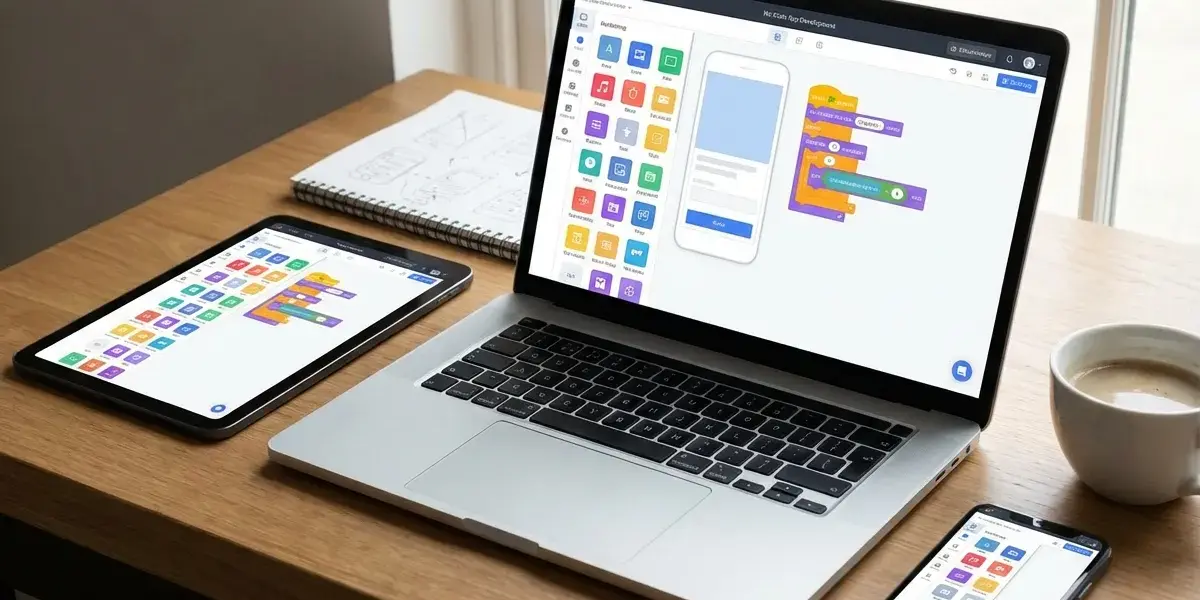
Use the platform's available templates, then drag and drop components such as buttons, images, and text to create a complete interface.
In this step, you will become familiar with basic UI/UX concepts. Most platforms support the ability to customize colors and fonts according to your brand identity. Please link the buttons to the database so the app can actually work. If you need to handle complex underground data flows between your app and other software at this step, check out n8n free workflow automation to build a solid backend system at no cost.
Step 4: Test and get ready to "launch" your brainchild
Test the application on your own phone via QR code or preview link to detect errors before sharing with real users.
At Pham Hai, we always advise customers to ask friends or relatives to try the app. They will have the most objective perspective on user experience. Carefully test your buttons, page load speed, security features, and login flow. If everything has worked smoothly, congratulations you have officially owned your first app created by yourself!
Is creating an app without code really "delicious"? Straight perspective
Creating mobile applications without code brings huge benefits in terms of cost and time, but also comes with some limitations in terms of deep customization and source code ownership.
Is it easy to create a mobile application without code? The answer is definitely YES. However, as long-time professionals, we want to give you the most realistic perspective, without painting the picture. The no-code platform is not a "silver bullet" that can solve 100% of all technology problems.
The benefits are as clear as day: Save costs, optimize time and verify ideas quickly
The biggest benefit of creating a no-code app is that it helps you save hundreds of millions of dong in costs of hiring programmers and shortening the launch time (time-to-market) from a few months to a few days.
For startups, small businesses or freelancers, preserving capital in the early stages is a vital factor. Instead of spending 200 - 300 million VND to code a complete app, you can use the no-code platform for only about 30 - 50 USD/month to make a test product.
- Optimize time: Drag and drop interface helps you complete the app in 1-2 weeks.
- Easy maintenance: No need to worry about error codes, updating new features only takes a few minutes.
- Suitable for all audiences: Marketers, HR, or Sales can all make their own apps to serve their work.
The truth to know: The limitations of free platforms and when you should "step up"
Free app creation packages are often limited in the number of users, storage capacity, the platform logo and especially do not grant ownership of the source code.
As your application grows and reaches tens of thousands of users (scale up), maintenance costs on no-code platforms can skyrocket due to server capacity charges. Furthermore, you will encounter a "vendor lock-in" situation - that is, depending entirely on the ecosystem of that platform. When the application requires specific hardware features or complex algorithms, hiring a team of programmers to rewrite the app with pure code (custom code) is an inevitable step.
Answers to common questions when creating your own app
This section will answer the most common questions of newbies: from creating a sales app, applying AI technology, to the process of pushing apps to official app stores.
During the consulting process, we realized that there are certain psychological barriers that make many people hesitate. Below are detailed answers based on the latest updates of the technology market in 2026.
Is it difficult to create a sales app without code and where should I start?
Creating a sales app without code is very easy and fast if you use specialized platforms like TeraApp, Glide or Shopify integration.
You should start by preparing a thorough product list (including name, price, description, images) on Google Sheets or Excel. Then, import all this data into the app creation platform. These tools currently have a shopping cart module, integrated domestic payment gateway and order management system. It only takes about 1-2 weekends for you to start your first sales campaign.
Emerging Trend: Is creating an app using AI feasible for beginners?
Creating apps using AI without code (also known as vibe coding) is the hottest trend in 2026, allowing beginners to create entire applications just by typing descriptive text.
With tools like Lovable, Cursor or Adalo's upcoming AI Builder feature, you just need to type a command like: "Create me a personal expense management app with monthly statistical charts." AI will automatically analyze and generate UI interface, database structure and operational logic. This is a great step forward to help make app making "popularized".
If you're curious about how AI can handle complex server-side tasks, Create a backend API with AI in 10 minutes provides a valuable technical perspective. Moreover, the trend of Coding web applications with AI without experience is also completely changing the way we approach and develop software in the near future.
Is publishing an app to Google Play and App Store complicated?
Publishing apps to Google Play and the App Store has become simpler thanks to the no-code platform's automatic packaging support tools, although the store's censorship regulations are still quite strict.
As of 2026, Google Play has regulations requiring new individual developer accounts to have at least 20 people test the application continuously for 14 days before being officially released. For the Apple App Store, you need to pay a fee of 99 USD/year and go through a very rigorous app approval process in terms of interface and experience.
However, the good news is that app creation software that does not require programming such as Adalo or FlutterFlow already supports exporting AAB files (for Android) and IPA (for iOS) directly from the system. You can completely skip the step of installing heavy programming environments like Xcode or Android Studio.
Don't let the fear of "not knowing how to code" hinder your great business ideas. Tools are available, detailed instructions are also right here. The most important thing now is to choose a platform you are most interested in, create a free account and start trying out a small feature right away. Your first no-code app creation guide for beginners may not be 100% perfect, but it will definitely open a whole new door for you into the world of technology. At Pham Hai, we always believe that with the support of AI and No-code, anyone can become a creator.
Do you have an idea for your first app yet? Do you plan to use the app to manage work or sell? Share in the comments section below so everyone can discuss and support each other!
Note: The information in this article is for reference only. For the best advice, please contact us directly for specific advice based on your actual needs.