
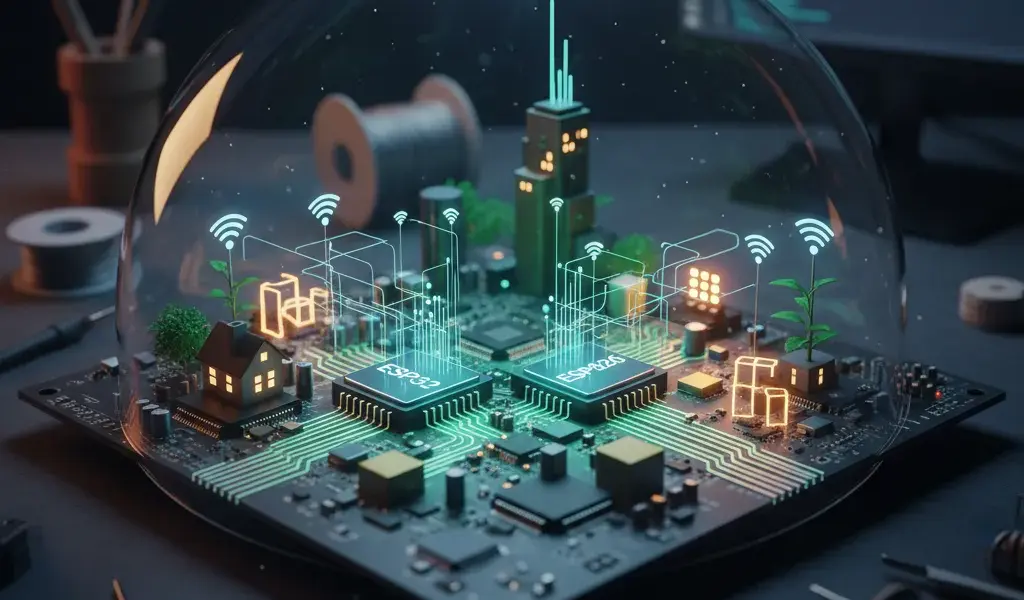
A few years ago, every time I mentioned IoT or smart homes, I thought it was far away, seemed expensive and complicated. But since the two "babies" ESP32 and ESP8266 appeared, the game has completely changed. Now, with just a few tens of thousands of dong and a little tinkering, you can make cool IoT Wi-Fi projects yourself.
At Pham Hai, I have supported thousands of young people to start their embedded programming path with these small components. This article is everything I have concluded after more than 10 years of "struggling", detailed instructions on the ESP32 ESP8266, a cheap IoT Wi-Fi project so you can get started today. If you're looking for a solid foundation to understand the big picture, learning IoT Internet of Things for Beginners is a great first step.
ESP32 and ESP8266: Which one should you choose for your project?
Comparing ESP32 and ESP8266 depends on actual needs: ESP8266 is optimal for basic projects, super cheap; while the ESP32 is a powerhouse with dual cores and Bluetooth for complex applications.
When faced with the decision of whether ESP32 or ESP8266 is better, many people are often confused. Both are microcontrollers manufactured by Espressif Systems, with built-in extremely convenient Wi-Fi modules. However, they were born to serve completely different purposes and project segments. Making the wrong choice from the beginning can cause your project to be short on resources or waste money unnecessarily.
About price: The battle of "some people have eight ounces, some people have half a kilo"
Latest update in March 2026, ESP8266 costs about 3-6 USD (equivalent to 75,000 - 150,000 VND), while ESP32 is slightly better at 6-12 USD (150,000 - 300,000 VND).
If budget is your number one priority, the ESP8266 is definitely the champion. You can easily find versions like the NodeMCU ESP8266 or the ultra-compact module ESP-01S at dirt cheap prices. This is the perfect choice for students or when you want to deploy a series of monitoring sensors scattered throughout the house without wanting to "burn out your pocket".
In contrast, the ESP32 is a bit more expensive but the hardware value it brings is completely worth it. For the extra money, you buy stability, processing speed, and long-term scalability for more complex systems.
Processing power: When the ESP32 proves superior with its dual core
ESP32 possesses an Xtensa 32-bit LX6 dual-core chip with speeds of up to 240MHz, completely overwhelming the 80MHz single-core chip of the ESP8266, helping to handle multi-tasking smoothly.
This difference in power is like comparing a regular motorbike and a large displacement motorbike. When you do a simple IoT project with the ESP8266 like reading the temperature and sending it to the web once every minute, everything is still very smooth. But if you force it to run a heavy Web Server interface and handle complex mathematical calculations, it will easily overload and automatically reset.
With the ESP32, thanks to two independent processing cores, you can divide the work: dedicate one core to maintaining the Wi-Fi connection, the other core focuses on reading data from the sensor continuously. This is extremely important in embedded programming when the system requires high real-time and no latency is allowed.
Money-making features: Bluetooth and more GPIO pins on the ESP32
The ESP32 supports both Bluetooth Classic and BLE (Bluetooth Low Energy), along with over 30 usable GPIO pins, which is superior to the approximately 11 actually available GPIO pins on the ESP8266.
Bluetooth connectivity is the "secret weapon" of the ESP32. You can easily connect the circuit to smartphones, wireless headphones or navigation devices without depending on the Internet. In addition, the abundant number of GPIO pins allows you to plug in dozens of components such as relay modules, LCD screens, and motion sensors at the same time without worrying about missing pins.
In particular, the ESP32 possesses 18 ADC channels (analog to digital conversion) with 12-bit resolution, helping to read analog sensors much more accurately than just a single 10-bit ADC pin of the ESP8266. Here's a quick summary:
| Core features | ESP8266 | ESP32 |
|---|---|---|
| Bộ vi xử lý | Single core (80-160 MHz) | Dual core (up to 240 MHz) |
| Kết nối không dây | Only supports Wi-Fi | Wi-Fi + Bluetooth (BLE) support |
| Số chân GPIO khả dụng | About 11 feet | More than 30 pins |
Quick summary: ESP8266 for simple, cheap project. ESP32 when high performance and Bluetooth are needed.
Choose the ESP8266 to save money on basic on/off tasks; Choose ESP32 for complex smart home, image processing (like ESP32-CAM module) and multitasking.
My actual experience is: start with NodeMCU ESP8266 if you are new to the IoT world. It's good enough for you to understand how Wi-Fi and HTTP protocols work. Once you're done and want to do bigger things, upgrade to the ESP32. If you're interested in dabbling further with miniature Linux operating systems, researching Raspberry Pi practical projects for developers would be a promising next direction.
Get started on your first IoT project in just 15 minutes
To start IoT programming for beginners, you only need to prepare a microcontroller circuit, a USB data cable, install the Arduino IDE software and write the classic LED flashing code.
You don't need to be an outstanding software engineer or good at math, you can still master this technology easily. The key lies in taking small steps, practicing continuously, and mastering the foundation. Familiarity with the programming environment is a must. If you have never written any C/C++ code, take some time to consult the Arduino microcontroller programming guide to understand basic loop and conditional syntax.
Prepare "tools": What to buy?
A basic kit includes: 1 NodeMCU circuit (ESP32 or ESP8266), 1 Micro-USB or Type-C cable with data transmission function, a few LED bulbs, 220 Ohm resistor and a breadboard (test board).
Many people often text me asking where to buy a cheap ESP8266 so they don't get caught off guard. My sincere advice is to go to familiar e-commerce platforms or go to reputable electronic component stores with clear return policies. Please pay special attention, make sure your USB cable is capable of transmitting data (data sync), not just a regular phone charging cable. Using the charging cable to load the code is a "classic" error that prevents the computer from recognizing the circuit.
Install programming environment: Just a few clicks with Arduino IDE
Instructions for installing the latest Arduino IDE for ESP32 (2026): Add Espressif URL to Preferences, open Boards Manager, search for keyword "esp32" and click Install.
Arduino IDE is the ultimate software tool for beginners in embedded programming. It has an extremely user-friendly interface, is easy to use, and has a huge support community around the world. The steps to perform configuration are as follows:
- Open the Arduino IDE software, navigate to File > Preferences.
- Dán đường link
https://espressif.github.io/arduino-esp32/package_esp32_index.jsonvào ô Additional Boards Manager URLs. - Next, go to Tools > Board > Boards Manager, type "esp32" in the search box, and install the official library package from Espressif Systems.
- Finally, plug the circuit into the computer, select the correct Board name (for example: DOIT ESP32 DEVKIT V1) and the corresponding COM port.
"Hello World" of IoT people: Programming LEDs to turn on and off via Wi-Fi
The simplest way to do an IoT project with Wi-Fi is to configure the ESP into a small Web Server, from which you can use the browser on your phone to control the LED status.
Below is the basic logic for LED control ESP32 programming instructions. First, you will write code so that the circuit connects to your home Wi-Fi network via SSID and Password. The circuit will then automatically generate a simple HTML web page containing two buttons "On" and "Off". When you use your phone browser to access the IP address of the circuit and press the button, an HTTP GET signal will be sent. The circuit receives this signal and commands the GPIO pin to output 3.3V voltage to light up the LED. The feeling of controlling a remote device for the first time with the ESP32 is really "exciting" and addictive!
Suggest some cool IoT Wi-Fi projects you can do yourself
You can apply ESP32 and ESP8266 to countless practical projects such as making smart switches, mini weather stations in the bedroom, or decorative RGB LED control systems.
Once you've grasped the most basic concepts, it's time to get creative. Smart home projects using ESP32 not only help you practice programming skills but also create products that apply directly to daily life. Turning your normal house into a Smart home self-built smart home is completely within reach without spending tens of millions of dong.
Turn any device into a smart device with Relay and ESP8266
By connecting the GPIO signal pin of the ESP8266 to a 5V Relay module, you can switch 220V alternating current to control a fan, table lamp or water pump.
This is an "introductory" project with the highest practical application. The Relay Module acts as an electronic safety switch. You only need to supply a very small current (about 3.3V) from the microcontroller pin, the inductor inside the Relay will jump and close the circuit for the device using grid power. However, at Pham Hai, we always warn students: when working with high voltage 220V, you must be extremely careful, wrap the insulating film carefully to avoid the risk of electric shock or fire.
Build a mini temperature and humidity monitoring station for the bedroom
Combining the ESP32 with the DHT11 or DHT22 environmental sensor, you can collect temperature and humidity data and send it to cloud platforms for real-time graph monitoring.
This project helps you become familiar with communicating with and reading data from various types of digital sensors. You can program the ESP32 to periodically send parameters to free dashboards like ThingSpeak. Even more advanced, you can set up the automation feature: if the room temperature exceeds 30 degrees Celsius, the circuit will automatically activate the Relay to turn on the fan. This is the core of energy saving features in modern smart building systems.
Control RGB LED lights via phone using ESP32 and Blynk
Using the Blynk IoT platform connected to the ESP32, you can create an extremely eye-catching and smooth RGB LED color control interface right on the smartphone screen.
Blynk is a great mobile application that helps you create IoT control interfaces with simple drag and drop operations without needing to know app programming. You just need to add a "Color Picker" tool on the app, linking it to the pulse hash pins (PWM) of the ESP32. When you slide your finger to change color on your phone, the decorative LED light strip in the room will change color immediately. This feature is very suitable for extremely chill DIY working corners of programmers.
Frequently asked questions and problems when starting out
During the process of making your own projects, you will often encounter annoying errors such as not being able to load the code, constantly restarting the circuit (resetting), or not knowing where to buy the right components.
The DIY self-study journey is never full of roses. At Pham Hai, we receive hundreds of questions every day via email about the troubles of programming microcontrollers. Don't be discouraged, because everyone goes through this stage. Below are the most practical answers to classic problems.
Where to buy cheap and reputable ESP32, ESP8266?
You should prioritize buying at specialized electronic component shops with warranty policies, or genuine Mall stores on Shopee/Lazada to avoid buying defective or counterfeit goods.
Never just look at the cheapest price to decide. Many modules floating around the internet use low-quality memory chips (Flash), leading to code loading that often has minor errors or runs for a short time and is clinically "dead". Take the time to carefully read the buyer's reviews before finalizing the order. For the ESP32 series, make sure you buy the popular version like NodeMCU-32S or ESP32-WROOM-32D for easy documentation and good compatibility with online tutorials.
"Silly" mistakes that everyone has encountered and how to avoid them
The most common error is "A fatal error occurred: Failed to connect to ESP32", the simple fix is to hold down the physical BOOT button on the circuit when the IDE screen displays the words "Connecting…".
Another very common problem is choosing the wrong COM port or not installing the CH340/CP2102 driver for the computer. If you plug in the USB cable and the computer is silent and there is no device recognition sound, 99% of the time it is because your cable only has a charging function. In addition, the issue of power source is also very important. When ESP powers up the Wi-Fi module, it can draw up to 500mA. If the computer USB port is weak, the circuit will lose voltage and continuously reboot. Always make sure the power supply is strong enough and remember that the GPIO pins can only withstand a maximum voltage of 3.3V. Plugging in 5V by mistake will cause the circuit to smoke immediately.
Next step: Learn about MQTT and Firebase to enhance your project
Once you're proficient in using HTTP, upgrade to the MQTT protocol for super-fast data transfer and reception, or use the Firebase real-time database for synchronous device management.
A local Web Server is great, but it only works when your phone and circuit are on the same home Wi-Fi network. To control the device from anywhere in the world with 4G, you need an intermediary server (Broker). MQTT is the industry standard protocol for IoT thanks to its lightness, low bandwidth consumption, and extreme stability. Combined with the OTA feature (Over-The-Air - Update code via Wi-Fi without needing to plug in a USB cable directly), your project will look as professional and genuine as commercial products sold in supermarkets.
In short, the barrier to entry into the world of smart technology has never been lower. With strong support from the open source community, implementing the low-cost ESP32 ESP8266 IoT Wi-Fi project is within your reach. Automation ideas that seemed complicated can now quickly become reality without investing too much money. Don't just stop at reading this article, boldly start trying a small project, plug in a few wires and write the first line of code yourself. You will find the feeling of accomplishment it brings much more interesting than I mentioned. Wishing you happy and successful creative hours!
Do you have any project ideas of your own? Please share in the comments section, we can discuss, debug and turn that idea into reality!
Note: The information in this article is for reference only. For the best advice, please contact us directly for specific advice based on your actual needs.


![Top Công Cụ AI Miễn Phí Hữu Ích Nhất 2026 [Giải Pháp Tối Ưu]](https://phamhai.s3.vn-hcm-1.vietnix.cloud/wp-content/uploads/2026/03/ai-top-cong-cu-ai-mien-phi-huu-ich-nhat-2026-giai-pha-featured-529-600x400.webp)