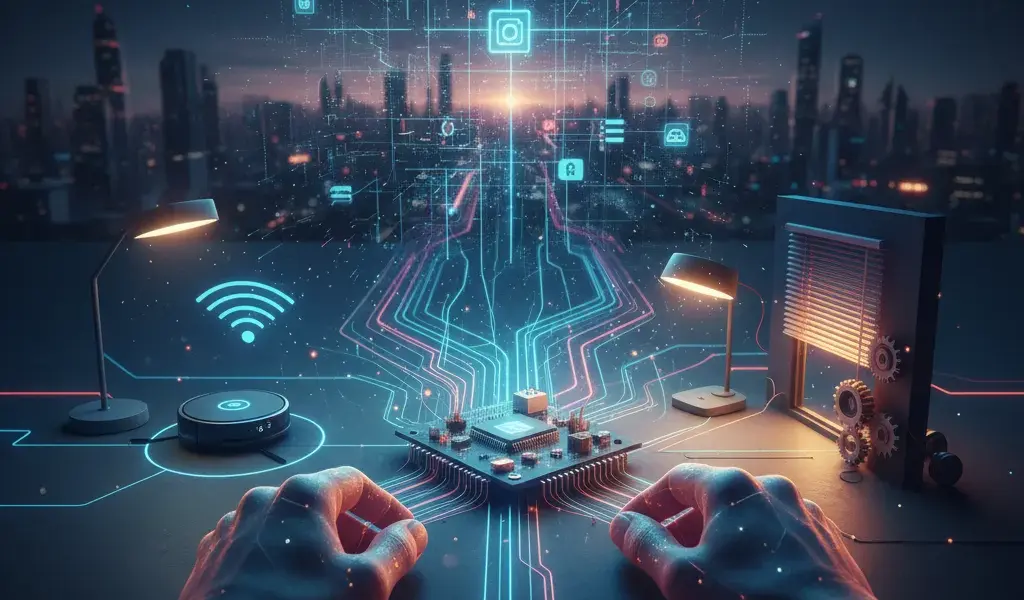
Have you ever seen smart houses that turn on their lights or robot vacuum cleaners that run on their own? Me too! I thought IoT was something so sublime that only top engineers in the industry could do it. But after ten years of tinkering with the profession, Pham Hai realized that newcomers can completely conquer it. This article about IoT Internet of Things for beginners is everything I summarize, helping you go faster, avoid stumbling and make real products yourself.
What is so terrible about IoT? Summary for non-specialists
IoT (Internet of Things) is simply a network that connects physical objects to each other and to the internet, helping them automatically collect and share data and perform tasks without constant human intervention.
Simply put, in the past, only computers or phones could access the internet. Now, everything from light bulbs, refrigerators, water pumps to dog collars can "talk" to each other via the internet. Learning What is IoT for beginners is not complicated if you look at it as a giant connected ecosystem.
In the current context, this is not only a technological hobby but also a core part of the research Technology trends 2026 prediction and analysis that the team at Pham Hai is closely following. It completely changes the way we interact with the physical world around us.
Don't panic, actually the IoT system only has 4 core components
A complete IoT system is always made up of four main parts: Devices, Gateways, Cloud and User Interface.
When first learning, IoT system components often confuse us because there are too many terms. But actually its flow is very logical:
- The first is Things, where sensors are attached to collect environmental data (temperature, humidity).
- Next, this data goes through Gateways and network infrastructure to be pushed to the internet.
- Then everything is stored and calculated at Cloud (cloud).
- Finally, there is an interface on the phone for you to view information and issue reverse commands.
Recently, to reduce latency and increase system security, engineers also applied Edge AI technology to process AI at the edge device right at the Gateway instead of pushing all raw data to the Cloud.
Cool things IoT can do in life (Smart Home, self-driving cars and more)
IoT is widely applied from smart home, high-tech agriculture, remote medicine to industrial automation and smart transportation systems.
Ứng dụng IoT trong đời sống hiện diện khắp nơi xung quanh chúng ta, góp phần tối ưu hóa chất lượng sống. Gần gũi nhất là Smart Home, nơi bạn vỗ tay tắt đèn, rèm cửa tự mở khi trời sáng hay bật điều hòa từ công ty. Ở quy mô vĩ mô hơn, IoT kết hợp với dữ liệu lớn (Big Data), trí tuệ nhân tạo (AI) và machine learning để tạo ra xe tự lái, hệ thống dự báo thời tiết cực chuẩn hoặc quản lý lưới điện quốc gia.
Especially in modern industrial production, IoT is an indispensable core foundation for building Digital Twins in industry, helping managers simulate, predict errors and optimize factory lines before actual operation.
IoT learning path from zero to making your first product
The optimal IoT learning path starts from choosing the right microcontroller hardware, learning basic programming languages, getting familiar with sensors and finally connecting the entire system to the internet.
Many students often ask me where to start learning IoT so as not to be overwhelmed by the sea of information. With experience supporting training at Pham Hai, I recommend that you follow the IoT learning path for newbies including 4 practical steps. Don't rush to spend money signing up for expensive IoT courses for beginners when you haven't tested the fundamental knowledge yourself and self-taught embedded IoT programming at a basic level.
Step 1: Choose your "weapon" - Should you start with Arduino, ESP8266 or Raspberry Pi?
For beginners, the ESP8266 (NodeMCU) or Arduino circuit is the perfect choice because of its extremely low price, large support community and extremely rich documentation.
To start, you need a control brain (collectively called a microcontroller). Below is a quick comparison table to help you choose easily:
| Circuit type | Outstanding advantages | Suitable for |
|---|---|---|
| Arduino (Uno R3) | Extremely easy to learn, lots of Vietnamese documents | Learn basic circuit logic |
| ESP8266 (NodeMCU) | WiFi available, super cheap price | Do a network-connected IoT project |
| Raspberry Pi | Powerful like a computer, running an operating system | AI projects, cameras, heavy processing |
Arduino rất tốt để học cơ bản, nhưng nó không có sẵn WiFi. Do đó, mình luôn khuyên các bạn nên mua ESP8266 hoặc bản nâng cấp của nó là ESP32. Chúng vừa rẻ, vừa tích hợp sẵn Wi-Fi và Bluetooth. Lời khuyên là hãy sắm một bộ Starter Kit IoT cơ bản trên Shopee để có đủ linh kiện vọc vạch mà không phải mua lẻ tẻ.
Step 2: What programming to learn? C/C++, Python or drag and drop for speed?
The C/C++ language on the Arduino IDE software environment is the most popular, standard and optimal choice for programming microcontrollers for IoT projects today.
Regarding programming languages (C, C++, Python, Java), C/C++ is still the "true love" in the field of embedded programming. Don't worry too much, basic IoT programming does not require you to code super algorithms like making a website or app. You just need to download the Arduino IDE software to your computer, its interface is extremely intuitive.
If you decide to go big with Raspberry Pi, then Python will be the king language. However, for newbies, sticking to the Arduino IDE and C/C++ is the safest route.
Step 3: Learn about sensors and actuators
Sensors act as senses to collect environmental information, while actuators are limbs to perform actions based on that data.
One of the essential skills when learning IoT is understanding how to interact with hardware. Sensor will help your circuit read room temperature, soil moisture or detect people passing by. On the contrary, actuators (such as relays, servo motors, chip horns) will receive commands from the microcontroller to turn on lights, pump water or sound an alarm.
Connecting them requires you to know a little basic electronic circuit knowledge (such as distinguishing between negative and positive poles, how to use resistors). Don't be afraid of damage, just plug in the breadboard wires according to the diagram online and it'll work.
Step 4: How does a device connect to the internet? (MQTT, HTTP)
For devices to connect to the internet, we use lightweight communication protocols, optimized for narrow bandwidth such as MQTT, HTTP or CoAP through integrated WiFi modules.
The biggest question for newbies is how does a thing connect to the internet? When the ESP8266 circuit already has a WiFi module, your job is to let it "talk" to the server via communication protocols (MQTT, HTTP, CoAP).
MQTT is extremely lightweight, responsive, and the gold standard for IoT. However, if you want the device to communicate with regular web services, mastering What is REST API and RESTful standard design via HTTP protocol is a huge advantage to expand the system later.
Just practice! Make your first simple IoT project yourself: Smart lights
The project of making smart lights controlled by phone is the most classic practice exercise, helping you fully grasp the process from assembling circuits, writing code to Cloud configuration.
That's enough theory, now let's build our own IoT product. The simplest way to do an IoT project to get motivated is to make a light that can be turned on/off remotely. This is the beginner DIY IoT project that any engineer has experienced.
Prepare "tools": What do you need to buy and how much does it cost?
You only need to prepare an ESP8266 board, a 5V Relay module, a few wires and an LED light bulb with a total investment cost of less than 150,000 VND.
To get started, go to an electronic parts store or go online to order the following items:
- 1 NodeMCU ESP8266 circuit (about 70,000 VND)
- 1 5V 1-channel Relay module (about 20,000 VND)
- 1 Test board (Breadboard) and 1 bundle of male-female plug wires (about 30,000 VND)
- 1 small LED light bulb to test (2,000 VND)
The total is less than a cup of coffee on the weekend. You don't need to buy expensive textbooks, there are many free IoT learning materials on Youtube or community forums for you to see how to use each of these components.
Circuit design diagram for people who don't know anything about electronics
Connect the Relay's signal pin to pin D1 on the ESP8266, supply 3.3V or 5V power to the Relay respectively and connect the ground line (GND) to complete the hardware.
Designing an IoT circuit for this article is extremely easy. You do the wiring as follows:
- Connect the VCC pin of the Relay to pin 3V3 (or VIN) of the ESP8266.
- Connect the GND pin of the Relay to the GND pin of the ESP8266.
- The signal pin (IN) of the Relay is plugged into pin D1 on the ESP8266 circuit.
The output part of the Relay acts as a switch, you connect it in series with the LED light bulb. If you plan to use actual 220V grid lights in your home, please seek assistance from a professional to ensure electrical safety!
Writing control code: Line-by-line instructions with Arduino IDE
Open the Arduino IDE, declare the WiFi library, set the D1 pin to OUTPUT and write a network connection function to control the on/off status of the Relay via HIGH/LOW signal.
Plug the USB cable into the computer. Open up the Arduino IDE, we will load a small piece of firmware for the microcontroller. In the code, you will need to enter your exact WiFi Name (SSID) and Password.
You can set up a simple web server right on the ESP8266 to receive commands from the web browser. Going forward, if you want to handle more complex logic (e.g., automatic timer, light-on behavior analysis) without the hassle of managing a physical server, you can learn how to combine it with Serverless function AWS Lambda Vercel to optimize costs and performance.
Control lights via phone with free IoT platform (Blynk/Firebase)
Use the Blynk app or the Firebase real-time database to create a console on your phone and instantly sync device status.
To control devices via IoT with a smartphone without having to bother coding your own mobile application (Mobile App) from scratch, take advantage of the best free IoT platforms today. Blynk is the number 1 choice for newbies: just drag and drop to create a button on the phone screen, copy the Token code and put it into the Arduino code and you're done.
In addition, Thingsboard is also a very powerful IoT platform for data graphing. If you are a web/app programmer who wants to build a better system yourself, using Firebase Supabase backend as a service as a Cloud intermediary to save real-time on/off status is a solution that we are extremely fond of.
IoT Internet of Things cho người mới bắt đầu không phải là đích đến, mà là một hành trình sáng tạo không ngừng. Từ việc tự làm một chiếc đèn thông minh đơn giản, bạn đã chính thức mở ra cánh cửa bước vào một thế giới công nghệ vô cùng thú vị. Đừng sợ sai, đừng sợ cháy mạch (mạch rẻ mà!), cứ bắt tay vào làm rồi bạn sẽ vỡ ra rất nhiều thứ. Kinh nghiệm quý giá nhất không nằm ở mấy bài hướng dẫn như thế này, mà ở những đêm bạn tự mày mò, sửa lỗi code và cuối cùng vỡ òa khi thấy sản phẩm của mình hoạt động trơn tru.
Do you have any ideas for your own IoT projects? Or are you stuck at the step of plugging in a wire or loading any code? Tell Pham Hai in the comments below, I will support you!
Lưu ý: Thông tin trong bài viết này chỉ mang tính chất tham khảo. Để có lời khuyên tốt nhất, vui lòng liên hệ trực tiếp với chúng tôi để được tư vấn cụ thể dựa trên nhu cầu thực tế của bạn.