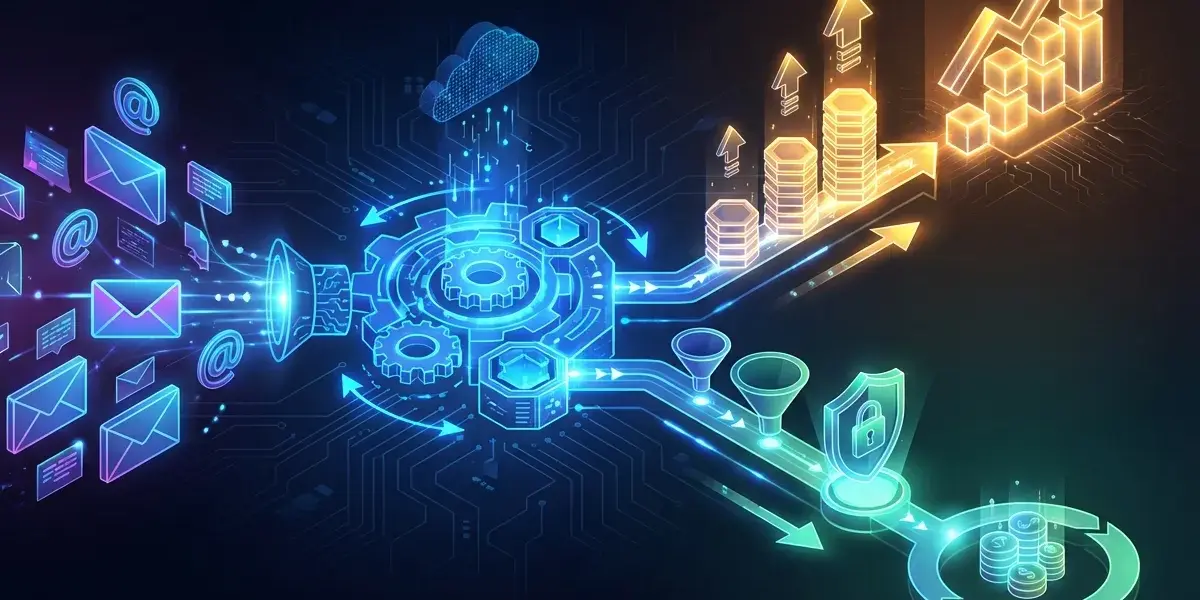
Several times when I sat down for coffee with people in the industry, I often joked, "If marketing today sends emails by hand, it's like running to deliver goods." Automating your email marketing workflow is no longer a technological accessory. It is a vital weapon that helps me and many businesses increase revenue rapidly while cutting huge human and time costs. This is absolutely not a theory, but a real story about turning mouse clicks into real money.
Why do I say email automation is a "money printing machine" and a "high-end osin"?
Email marketing automation is the use of specialized software to automatically send messages to the right people, at the right time based on their behavior. This email marketing automation strategy brings dual benefits: it is both a "money printer" that drives sales, and a "premium printer" that helps optimize operating costs.
Many new people often wonder what Email Marketing Automation is and how powerful it is. Simply put, instead of having to manually time each email to send, the system will automatically do it based on pre-programmed email scripts. The benefits of email marketing automation do not just stop at being hands-free, but it directly interferes with the business's cash flow.
Real-life scenario to help increase revenue: Turn potential customers into crazy fans.
Automated email marketing campaigns help increase conversion rates to incredible levels thanks to sending the right message, highly personalizing and responding immediately when customers have a need.
In fact, at Pham Hai, I have witnessed many small and medium-sized businesses "transform" just by correctly setting up an automatic email chain. According to the latest updates in March 2026 from Omnisend's report, automated emails have 52% higher open rates and 332% higher click rates than mass sending campaigns. Even scarier, their conversion rate is 2,361% higher.
When you set up a standard email workflow, you're personalizing the customer experience to the maximum. Customers feel cared for at the right time. Increasing revenue with automated email marketing is inevitable when you maintain continuous customer interaction without missing anyone. Furthermore, email marketing currently brings huge ROI, on average, for every 1 USD spent, the return is from 36 to 42 USD.
How it helps you save money: Spend your time doing more valuable things.
Automation helps businesses save resources, minimize human errors and thoroughly optimize marketing costs thanks to machines completely replacing manual tasks.
Try to calculate, how many hours a day does a marketing employee spend filtering customer data, copy-pasting content and sending emails? Saving costs with automated email marketing comes from completely cutting out these boring manual operations. Once the script is set up, the machine will automatically run 24/7 without getting tired, without asking for a raise.
Saving time and saving resources frees your team to focus on multi-channel marketing strategies or content creation. Even the application of automation is not limited to email. Many businesses are expanding into other operational processes. If you want to fully optimize repetitive tasks in the office, learn more What is RPA process automation to expand your automation mindset. Increased performance and increased ROI are worthy rewards for those who dare to change.
Get to work: 5 unmissable steps for an effective automation workflow
Implementing effective email marketing automation requires a rigorous 5-step process: targeting, segmentation, scripting, content writing, and continuous measurement.
The email marketing automation process is not a click-and-done magic. It is a combination of logical thinking, insight and analytical skills. Below are the steps to build an automated email chain that I always apply successfully to partner projects.
Step 1: Determine a clear goal - What do you want from this email series?.
Every email marketing automation strategy must start with a specific goal such as attracting new leads, closing sales, educating the market or taking care of old customers.
Never rush into writing an email without knowing what you're writing for. Do you want to attract potential customers to download your e-book? Or do you want to stimulate them to return to their abandoned shopping carts on the website? Each goal will determine the structure and length of the email workflow. Having a clear definition from the beginning helps you stay on track and easily evaluate your level of success later.
Step 2: Draw customer portraits and "standard" segments.
Detailed data-driven customer segmentation increases personalization, makes messages relevant, and dramatically improves email open rates.
You can't send the same diaper discount message to an 18-year-old college student and a 30-year-old mother. Customer segmentation is the heart of personalization. 2026 data shows that AI-based personalization can increase revenue by 41%. Break your list down based on demographics, interests, or shopping behavior. The more deeply analyzed customer data is, the more your emails will "touch" their itch.
Step 3: Design the scenario (workflow) - Lead customers from A to Z.
Mapping out the customer journey and setting up the right email triggers is an important step in creating a natural, logical communication flow that drives conversions.
What is email workflow? It is a branch diagram that regulates the flow of messages. For example: If a customer opens email 1, the system sends email 2 2 days later. If they don't open it, resend email 3 with a more sensational title. The customer journey needs to be designed to be smooth and not forced. Email triggers (action-triggered emails) act like toll booths, automatically opening barriers when customers pass by.
During the process of setting up complex scenarios, connecting data between platforms sometimes encounters many technical barriers. When you need seamless multi-channel data sync between email and large CRM systems, using Make (Integromat) advanced automation is a great lifesaver.
Step 4: Create content that "touches" customers' hearts.
Email content needs to be concise, sincere, bring real value to readers and always come with a clear call to action.
No matter how smart a machine is, content must still be written by humans to connect with humans. Building lasting customer relationships always starts with honest words. Write as if you were sitting down to drink tea and have a one-on-one conversation with them. Don't always focus on selling crudely. Let's mix between providing useful knowledge and introducing products in the most subtle way.
Step 5: Measure and optimize – Don't let your machine idle.
Continuously monitoring open rates, click-through rates and performing A/B testing to optimize automated email marketing campaigns over time is a must.
Optimizing your automated email marketing campaign is a continuous process that never stops. You must regularly look at the numbers: open rate (Open Rate), click-through rate (Click-Through Rate). If your open rate is flat, your title definitely has problems. If the click-through rate is low, the content or Call to Action button is not convincing enough. Use the A/B testing feature to test two different versions and see which "taste" customers prefer.
Examples of "small but powerful" automated email sequences
Examples of the most effective email marketing automation today include welcome sequences, shopping cart reminder sequences, lead nurturing sequences, and post-purchase care.
To make it easier for you to imagine how it operates, I will go through a few "money-making" scenarios that any business, large or small, should immediately equip.
Welcome email series: Make an indelible first impression.
A welcome email series is sent as soon as a user signs up, helping to introduce the brand in a friendly way and set expectations for subsequent emails.
This is an email chain with a record high open rate, usually fluctuating at 80% to 83% according to 2026 statistical reports. When someone proactively gives you their email address, that's when they're most curious and interested in you. Never miss this "golden moment". Send them a sincere thank you, give them a small discount code or feature great articles on your blog.
Abandoned cart reminder email series: "Savior" for sales.
Sending automated emails reminding customers about items they've added to their carts but haven't yet paid for helps recover a large amount of lost revenue.
Did you know that 54.2% of automated workflows in e-commerce today are for abandoned carts? Customers add items to their cart and then suddenly get busy on the phone, so they forget to pay. A series of 2-3 gentle reminder emails, perhaps with a free shipping offer or a 5% discount, will pull them back to complete the order in a spectacular way.
Lead nurturing email series: The rain lasts a long time.
A lead nurturing workflow helps periodically provide valuable information, educate customers, build trust, and slowly convert subscribers into paying customers.
Not everyone who leaves a registration email is ready to withdraw their wallet to make a purchase immediately. The lead nurturing chain was born to "warm up" these cold customers. Companies that use automation for lead nurturing see a 451% increase in qualified leads. By regularly sending case studies and guidance documents, you are gradually asserting your position as an expert in their minds.
Post-purchase care email series: Upsell, cross-sell and building loyalty.
Sending thank you emails, asking for reviews and suggestions to buy more related products (upsell, cross-sell) helps increase customer lifetime value and create loyal fans.
Selling is not the end, it's just the beginning. The customer journey continues after the "ting ting" sound. A few days after they receive the goods, an email asking about their usage experience will make them feel truly appreciated. Then, based on your shopping history, you can set up upsell or cross-sell emails to maximize revenue per customer.
Choose the right sender: Some familiar email marketing automation software
The market today has many quality email marketing automation software, typically Mailchimp for beginners, or HubSpot and MISA AMIS for large systems.
After all, a tool is just a tool, the most important thing is the user's mindset. However, choosing the right email marketing automation software at scale will make your marketing life a lot easier. Below is a summary of some of the names I have directly experienced:
| Software | Outstanding strengths | Suitable for any object |
|---|---|---|
| Mailchimp | Easy-to-use drag-and-drop interface, beautiful templates, large support community. | Small businesses, beginners to automation. |
| HubSpot | Deep integration of CRM, comprehensive Inbound Marketing automation. | Medium and large enterprises, abundant marketing budget. |
| MISA AMIS | Good Vietnamese language support, integrated landing page, understanding of the domestic market. | Vietnamese businesses need all-in-one solutions. |
For beginners: Mailchimp.
Mailchimp is a friendly, extremely easy-to-use platform that provides basic email marketing automation features for small businesses.
If you are a newbie or the owner of a small startup, Mailchimp is the national choice. The drag-and-drop interface is intuitive, the built-in templates are beautiful, and the basic automated email sequence creation feature works extremely smoothly. When you're just starting out, simplicity is a priority. If you want to learn more about how to connect Mailchimp with other applications like Google Sheets without knowing code, take a look at Zapier's guide to automation for beginners to set it up yourself.
For "all in one" teams: HubSpot, MISA AMIS aiMarketing.
HubSpot and MISA AMIS aiMarketing are comprehensive solutions, deeply integrating CRM, landing pages and extremely powerful multi-channel marketing campaign management.
As your business grows, you need to manage data centrally instead of distributedly. HubSpot is a true "monster" in the marketing industry, seamlessly connecting marketing, sales and CRM. In the Vietnamese market, the MISA AMIS aiMarketing platform is also an extremely bright name. It allows you to design your own landing page, manage customer data and run automated email workflows extremely smoothly, suitable for Vietnamese habits.
Other options worth considering: GetResponse, Sendinblue.
GetResponse is strong in creating sales funnels, while Sendinblue (Brevo) stands out with its low-cost transactional email sending features.
GetResponse is a great tool if you enjoy designing complex sales funnels and hosting webinars. And Sendinblue (now renamed Brevo) scores points thanks to its reasonable costs and extremely stable ability to send transactional emails.
Each system has its own advantages and disadvantages. Sometimes monthly software license costs can be a big barrier for startups with little capital. If your team has personnel knowledgeable about server technology and wants to build a flexible system with no maintenance costs, deploying n8n free workflow automation is an industry "secret" that you should explore for maximum savings.
At the end of the day, automating your email marketing workflow is like having an army of marketers diligently working 24/7 without complaint. It not only helps you sell more products and save more money, but also builds a really strong relationship with customers. Don't consider it just an inanimate software tool, consider it a core business strategy. Start from the smallest streams, optimize continuously every day, and you will see a huge difference on your revenue report.
Are you ready for your money printing machine to start working? Try outlining your first welcome email sequence for your new customers!
Lưu ý: Thông tin trong bài viết này chỉ mang tính chất tham khảo. Để có lời khuyên tốt nhất, vui lòng liên hệ trực tiếp với chúng tôi để được tư vấn cụ thể dựa trên nhu cầu thực tế của bạn.