Tạo Video AI Từ Văn Bản Không Cần Quay: Bí Quyết Triệu View
Tired of thinking about filming and editing videos? I used to do that too! The feeling of spending a ton of money, time setting up lighting and cameras and still not making the video "viral" is really frustrating.
But believe it or not, now with just a few lines of text, I can create professional videos that attract millions of views without touching the camera. AI technology has completely changed the game, and creating AI videos from text without recording is much easier than you think. It not only helps you save costs but also opens up unlimited creative opportunities for anyone, even if you don't have any technical skills.
Top AI tools to convert text into "magical" videos that people in the profession often use
To convert text into high-quality online AI videos, you can use 3 main groups of tools: easy-to-use drag-and-drop group (Canva, InVideo), professional AI Avatar group (HeyGen, Synthesia) and surreal cinematic video creation group (Sora, Kling AI).
Easy-to-use group for beginners: Drag and drop to create million-view videos (Canva, Pictory, InVideo)
These are free or low-cost AI video creation tools that focus on intuitive interfaces, helping content creators without editing skills to easily create short content.
At Pham Hai, we often recommend that beginners experiment with Canva, Picture or InVideo. Just paste the script in, this AI text-to-video software will automatically search for images and video clips from the huge media library to combine. Everything happens in just a few minutes.
Recently, platforms like VEED.IO, Lumen5 and CapCut also updated similar features, extremely suitable for making social media videos on TikTok or Reels. If you're on a tight budget, you can check out the list Top most useful free AI tools of 2026 to start your creative journey. These tools help create AI videos without complicated skills, anyone can do it.
Professional team with human-like AI Avatars (Synthesia, HeyGen, DeepBrain AI)
The group of AI video creation tools with avatars helps you create a virtual "host" with gestures, mouth shapes and voice just like a real person, completely solving the problem of creating AI videos without filming people.
Latest update until March 2026, HeyGen with Avatar IV technology and Synthesia version 2.5 is dominating this segment. You can absolutely have a professional MC speaking in front of the camera. DeepBrain AI or Elai.io are also formidable options, supporting extremely smooth multilingual text-to-speech conversion.
| Avatar AI platform | Core technology 2026 | Target audience |
|---|---|---|
| HeyGen | Avatar IV (micro gestures, realtime translation) | Content Creator, Agency |
| Synthesia 2.5 | Enterprise standard avatar, SOC 2 security | Corporation, internal training |
Besides, platforms such as GliaCloud and Saifs AI are strongly integrating Avatar AI technology to optimize business videos. Applying AI to create AI videos is much more cost-effective than hiring actors and a traditional studio.
New generation group of "great products", after watching it, I just feel "wow" (Sora, Google Veo, Kling AI)
These are the most advanced AI models that create videos from text in 2026, capable of creating cinematic movies with complex backgrounds, realistic physical movements and impressive effects.
The 2026 AI race really explodes with the launch of Sora 2 from OpenAI, Google Veo 3.1 and Kling AI 3.0. If Sora 2 excels in logic and cinematic camera angles, then Google Veo 3 shocks with its extreme native audio synchronization ability. Meanwhile, Kling AI 3.0 and Runway Gen-4.5 are great choices for making videos from text to AI images with 4K definition.
Tools like VideoGen are also gradually integrating these APIs to create AI videos quickly. To write script optimization prompts before putting them into Sora, you should refer to ChatGPT Effective User Guide 2026. In addition, choosing which AI core to brainstorm ideas for is also very important, the article Comparing ChatGPT vs Claude vs Gemini will help you make the correct decision.
Instructions for real combat: Let's create our first AI video in 5 minutes!
The instructional process for creating AI videos from text includes 4 steps: writing a script, choosing an Avatar/voice, letting AI automatically combine scenes, and finally editing additional effects and automatic subtitles.
Step 1: Script - A few lines of text determine the soul of the entire video
AI video scripting is the core element; A detailed command about context, emotion, and message will help the AI understand your intentions accurately to output the highest quality.
No matter how smart AI is, it still needs you to "just do the job". Don't just throw a general sentence at it. Clearly describe the setting, actions, and emotions you want to convey. A good script is the foundation for a successful marketing video.
To do this, mastering Prompt Engineering writing standard prompts for AI is a required skill to help you communicate effectively with machines. My advice is to break the script into short scenes so that the AI can easily process and render images more accurately.
Step 2: Choose AI and voice "actor" - Find the face representing your channel
Choose Avatar AI and voice that matches your target audience to increase the persuasion, reliability and professionalism of your video.
In HeyGen or Synthesia's interface, you will see hundreds of available AI and Avatar video templates. I often advise customers at Pham Hai to choose a face with a dressing style and voice tone suitable for the profession.
For example, when creating an educational AI video, you should choose a deep, warm voice and a poised demeanor. On the contrary, if you create promotional AI videos for young people, prioritize dynamic Avatars, combined with text-to-speech features with a playful, natural intonation.
Step 3: Disappear! AI automatically stitches photos and inserts illustrative scenes from the script
With just one click, the software will analyze semantics and automatically extract footage, creating AI videos from photos in the database to match each line of dialogue.
This is when the real magic happens. The tools will automatically allocate footage based on your AI video script. If you use InVideo or Pictory, the system will extract keywords to find the corresponding illustration clip.
Sometimes, you can create AI videos from your own product photos by uploading them to the platform. This automation helps content creators completely free themselves from the tiring process of searching for materials, saving significant time.
Step 4: "Retouch" your beauty: Add background music, insert automatic subtitles and logo
The final AI video editing step makes the work more lively by customizing the video, adding trending background music and smooth transition effects.
Don't rush to export the file as soon as the AI has finished running! Take advantage of the automatic captioning feature because in fact 80% of viewers surf social networks without sound on. Adding a little suitable background music and small effects will help the video retain the audience longer.
You can use linguistic AI to write attractive titles and descriptions for videos. Check out the Claude AI Anthropic user guide to learn how to have AI optimize videos for SEO before posting them to platforms.
Make tons of money and save tons of time - Practical applications of AI video
The application of AI brings high-quality video making solutions, helping businesses and individuals save costs and effectively serve advertising, education and branding.
Case study 1: Small business runs Facebook/TikTok ads at a cost of 0 VND
AI video solutions for small businesses help them launch dozens of advertising campaigns each month without needing to rent expensive studios, cameras or actors.
I once supported a small fashion business owner. Instead of spending tens of millions to rent lookbook models, they use AI to create promotional AI videos introducing new collections. They just need to enter the product description, select the AI Avatar wearing similar clothes and run ads.
Actual results show a 30% increase in conversion rates while video production costs are reduced to almost zero. This is a clear demonstration of how cost-effective AI video creation brings direct economic benefits to digital marketers.
Case study 2: Teachers and experts create online courses without showing their faces
Educators can package knowledge into professional video lectures through AI text-to-video tools, overcoming psychological barriers when standing in front of the camera.
Many professionals are good but afraid to communicate in front of the camera. With current technology, creating educational AI videos has become extremely simple. You only need to prepare slides and text script.
Avatar AI will teach the lesson on your behalf with a confident demeanor and accurate pronunciation. This helps educators scale courses quickly, mass-producing educational videos without being limited by time or health.
Case study 3: Content creator "clones" channel on multiple platforms (YouTube, TikTok, Reels)
Content creators use AI to mass produce short content, create AI videos for social media to maintain posting frequency, and optimize cross-platform presence.
To survive and thrive in the digital era, posting frequency is a vital factor. AI technology allows you to "clone" yourself. You can create 5-10 social media videos a day, translated into many different languages with just a click of the mouse.
This is the secret that helps many TikTok channels trend in a short time. Creating AI videos quickly helps you spread the word about your personal brand while still ensuring you have time to rest.
Tips from predecessors: Prevent your AI videos from being recognized by the audience as "fake"
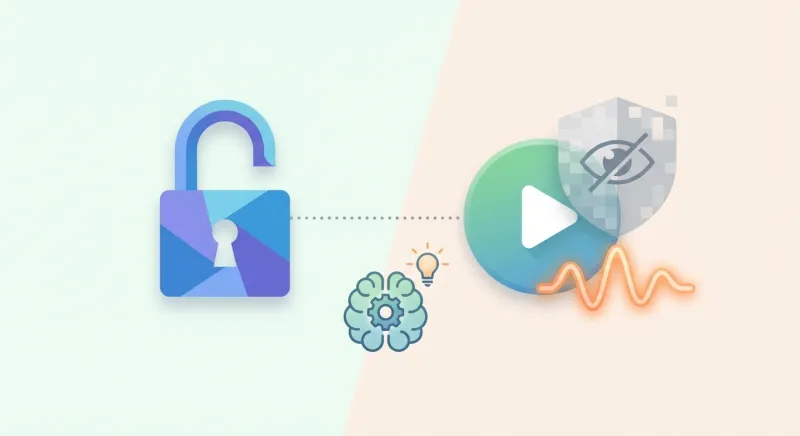
For AI videos to become natural and convincing, you need to bring life to the script, skillfully personalize your Avatar, and flexibly combine it with the brand's actual image.
Tips for writing a script with emotion, don't write like a machine
Use spoken language, add exclamatory words and apply storytelling skills to make the AI scenario less dry and mechanical.
Audiences today are very observant. If your script smells like machine-generated "templates", they will skip right over it. Write as if you were talking directly to a friend.
However, when asking AI to help you come up with content ideas, be careful to verify the information. The AI hallucination problem of AI fabricating information still occurs frequently. At Pham Hai, we always have a thorough fact-check step before putting text into video creation software.
How to customize Avatar, voice and rhythm to make videos more natural
Adjusting reading speed, adding pauses, and choosing diverse camera angles helps Avatar AI's text-to-speech process become more soulful and realistic.
Don't let Avatar AI continue from beginning to end without a highlight. Insert pause tags between important sentences to create rhythm.
The 2026 updates of HeyGen or Kling AI both allow deeper video customization such as fine-tuning hand gestures, eye blinks or slight smiles. This small intervention helps break up the rigidity, giving the overall video a more professional feel.
Don't abuse the available media store, add a personal touch with your own images
Interlacing actual images and videos of products or company offices into AI videos helps increase credibility and differentiates from thousands of other videos.
AI's media library is very rich, but the weakness is that anyone can share those images. To really make your brand stand out, proactively upload exclusive materials.
Mixing AI-generated scenes and actual footage (even if it's just shot with a phone) will deceive the viewer's eyes. It makes them more confident in the message you convey, and proves that you do not abuse tools but know how to master technology.
The video revolution has truly begun. Producing moving image content is no longer the exclusive playground of large studios or those with superior filming skills. With AI, the only barrier between you and a million-view video is the idea. This is a golden opportunity to break through, whether you are a business owner, a marketer or an independent content creator. Mastering the skill of creating AI videos from text without recording will be an absolute competitive advantage that will help you go faster than your competitors in the digital age.
What are you waiting for? Try one of the free tools I suggested above and experience this magic for yourself! Start writing your first script and let AI do the rest.
Lưu ý: Thông tin trong bài viết này chỉ mang tính chất tham khảo. Để có lời khuyên tốt nhất, vui lòng liên hệ trực tiếp với chúng tôi để được tư vấn cụ thể dựa trên nhu cầu thực tế của bạn.