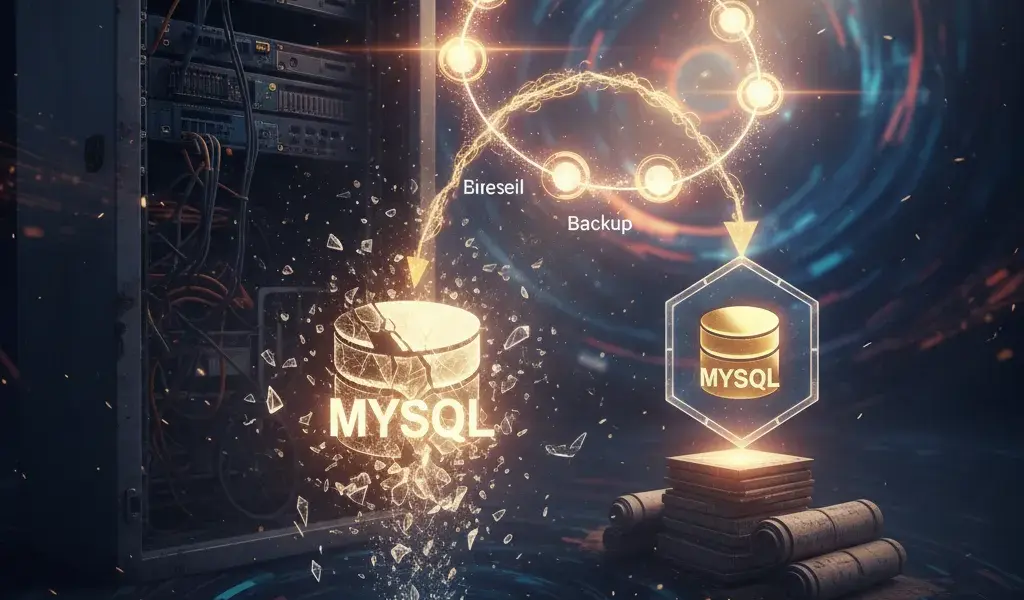
Losing a database is the worst nightmare of any server administrator, and I myself have experienced that "sweating" feeling. Don't wait until you lose all your data before frantically trying to find a way to save it. This article is my first-hand experience, sharing the fastest way for you to set up a solid "insurance" by backing up MySQL database automatically every day with just a compact bash script and cron job. It will automatically run every day, compact files and even delete old versions. Install once, rest assured forever.
Why is automatic database backup an indispensable "insurance" for your server?
Setting up automatic backups completely eliminates the element of human forgetfulness, ensuring you always have the latest data backup available to quickly restore MySQL data when the system encounters an emergency problem.
Painful story: How I lost all of my customer's data once
A wrong typing of an operation command on the production database wiped out the entire user data table with no recent backup to save it.
Vào năm 2018, khi mới chập chững làm quản trị database, mình từng lỡ tay chạy lệnh DROP DATABASE nhầm trên server thật thay vì môi trường test (local). Lúc đó, bản backup gần nhất đã từ 2 tháng trước vì mình toàn làm bằng tay và… lười. Khỏi phải nói, mình đã phải đền bù hợp đồng và thức trắng 3 đêm liền để cố gắng khôi phục từng dòng dữ liệu từ các file log rác rưởi. Đó là bài học đắt giá nhất về việc không lập lịch sao lưu MySQL tự động cho VPS. Từ sự cố kinh hoàng đó, tại Phạm Hải, chúng tôi thiết lập quy tắc ngầm: không bao giờ vận hành bất kỳ hệ thống production nào mà thiếu đi cơ chế tự động hóa sao lưu nghiêm ngặt.
Risks are always lurking: Hardware errors, network attacks, and even... your own mistakes
Your data is always threatened by physical hard drive failure, data encryption ransomware, or most commonly, human error.
Nhiều bạn có suy nghĩ chủ quan rằng dùng VPS của các nhà cung cấp lớn trên thế giới là an toàn tuyệt đối. Thực tế thì ổ cứng NVMe xịn đến mấy vẫn có tỷ lệ chết đột ngột. Hoặc xui xẻo hơn, Linux server của bạn bị dính mã độc tống tiền (ransomware). Đôi khi, chính những truy vấn SQL lỗi của đội ngũ lập trình viên lại là thủ phạm làm hỏng dữ liệu (ví dụ: chạy lệnh UPDATE mà quên mệnh đề WHERE). Lúc này, việc kết hợp Auto backup website tự động hàng ngày cùng với backup database chính là chiếc phao cứu sinh duy nhất giúp bạn giảm thiểu tối đa thời gian ngừng hoạt động (downtime).
Quick comparison: Manual backup via phpMyAdmin vs. automatically by script
phpMyAdmin is suitable for fast, small data export needs, while automatic scripts are a mandatory solution for production servers to ensure continuity and security.
When new to web administration, many people often use phpMyAdmin or MySQL Workbench to export .sql format files manually. This sounds easy, but it's extremely risky because you can't remember to do it every day. On the contrary, automatic MySQL backup using cron job runs in the background on the system without requiring your intervention.
| Criteria | Manual backup (phpMyAdmin) | Automatic backup (Cron + Script) |
|---|---|---|
| Sự can thiệp | Someone must do it | Fully automated |
| Mức độ rủi ro | Very high (easy to forget, missing files) | Very low (runs as scheduled) |
| Môi trường dùng | Suitable for local, very small data | Required for Server Production |
Complete set of automatic MySQL backup scripts using mysqldump and cron job
This process includes 4 core steps: creating a user with appropriate permissions, writing a bash script containing the mysqldump command, setting up crontab for scheduling and finally accepting the output file.
Step 1: Prepare the "base" - Create a user and separate folder for backup
Create a secure storage directory on the server and grant minimal database access rights (only SELECT, LOCK TABLES rights) to a dedicated MySQL user to dump data.
Đừng bao giờ sử dụng trực tiếp tài khoản root của MySQL bên trong các script sao lưu MySQL hàng ngày trên Linux. Việc lộ file script có thể dẫn đến mất toàn quyền kiểm soát server. Hãy tạo một user riêng biệt chỉ có quyền đọc.
Đầu tiên, tạo thư mục lưu trữ backup trên Linux:
mkdir -p /var/backups/mysql
Bảo mật thư mục này chỉ cho root truy cập:
chmod 700 /var/backups/mysql
Next, log in to MySQL and create a user:
CREATE USER 'backup_user'@'localhost' IDENTIFIED BY 'MatKhauSieuKho123!';
GRANT SELECT, LOCK TABLES, SHOW VIEW, EVENT, TRIGGER ON *.* TO 'backup_user'@'localhost';
FLUSH PRIVILEGES;
Step 2: Main "weapon" - Complete bash script to backup and compress the database
Use the mysqldump tool combined with the gzip utility in a bash script file (.sh) to export the entire structure and data into a compressed file in .sql.gz format.
Bây giờ, hãy tạo một file tên là mysql_backup.sh tại thư mục /usr/local/bin/. Dưới đây là đoạn script sao lưu cơ bản và hiệu quả nhất mà mình thường xuyên triển khai cho các dự án:
#!/bin/bash

USER="backup_user"
PASSWORD="MatKhauSieuKho123!"
OUTPUT_DIR="/var/backups/mysql"

DATE=$(date +"%Y%m%d_%H%M%S")


mysqldump -u $USER -p$PASSWORD --all-databases --single-transaction | gzip > $OUTPUT_DIR/db_backup_$DATE.sql.gz
Sau khi lưu file, bạn bắt buộc phải cấp quyền thực thi cho script bằng lệnh: chmod +x /usr/local/bin/mysql_backup.sh. Nếu bạn là người mới tiếp xúc với các lệnh dòng lệnh này, việc nắm vững nền tảng là rất quan trọng. Bạn có thể tham khảo thêm tài liệu Học MySQL cơ bản cho người mới để hiểu rõ hơn về cách thức hoạt động của các lệnh trong MySQL.
Step 3: Set a "combat" timer - Configure a cron job to run the script every day
Sử dụng lệnh crontab -e để mở trình soạn thảo hệ thống và thêm dòng lệnh định thời gian chạy script bash tự động vào lúc nửa đêm, khi lượng truy cập website thấp nhất.
Để hướng dẫn tạo cron job backup database MySQL thành công, bạn cần mở terminal và gõ lệnh crontab -e. Trình soạn thảo sẽ hiện ra. Bạn hãy di chuyển con trỏ xuống cuối file và thêm dòng sau để hẹn giờ chạy script vào đúng 2:00 sáng mỗi ngày:
0 2 * * * /usr/local/bin/mysql_backup.sh > /dev/null 2>&1
Phần > /dev/null 2>&1 giúp ẩn đi các log không cần thiết để tránh làm đầy hộp thư hệ thống. Nếu bạn chưa quen với việc thiết lập các mốc thời gian phức tạp này, bài viết về Crontab Linux hẹn giờ chạy tự động sẽ hướng dẫn chi tiết từng cú pháp từ cơ bản đến nâng cao cho bạn.
Step 4: Check the "battlefield" again - Make sure the backup file was created successfully
You should always run the script manually for acceptance and check in the target directory whether the .sql.gz file is created with a reasonable capacity.
Đừng bao giờ thiết lập xong cron job rồi bỏ đó và đinh ninh rằng nó sẽ chạy. Hãy tự mình chạy thử script bằng lệnh ./usr/local/bin/mysql_backup.sh. Quá trình này có thể mất từ vài giây đến vài phút tùy dung lượng data. Sau đó, dùng lệnh ls -lh /var/backups/mysql để xem file có thực sự tồn tại không. Nếu bạn thấy file dạng db_backup_20260324_020000.sql.gz có dung lượng vài MB hoặc vài GB (tương xứng với data thực tế) thì xin chúc mừng, bạn đã cấu hình thành công.
Upgrade "weapons": Optimize backup scripts for professionals
A professional script doesn't just stop at dumping data, it needs the ability to back up multiple individual databases, powerfully compress data, automatically clean up junk files, and send warning emails.
Backup multiple MySQL databases at the same time with the script, why not?
Instead of gathering all databases into a single large file, use a loop in the bash script to separate each database into separate backup files, making it easier to manage and restore later.
Dùng tham số --all-databases thì rất tiện và nhanh, nhưng khi bạn gặp sự cố và chỉ cần restore 1 database nhỏ lẻ, việc trích xuất từ một file dump khổng lồ (vài chục GB) lại cực kỳ vất vả và tốn RAM. Mình thường viết script nâng cao hơn để lấy danh sách các database (loại trừ các database hệ thống như information_schema, performance_schema) rồi dùng vòng lặp for để dump từng cái một. Như vậy, mỗi database sẽ tương ứng với một file .sql.gz riêng biệt.
Automatically clean up the "battlefield": Script deletes old MySQL backups automatically using cron
Sử dụng lệnh find kết hợp với tham số -mtime trong Linux để tìm và xóa tự động các file backup đã lưu trữ quá số ngày quy định, giúp ngăn chặn tình trạng tràn ổ cứng server.
VPS hard drives are always limited. If the backup script keeps running every day without a deletion mechanism, sooner or later your server will "crash" due to Full Disk error (out of space). To completely get around deleting old MySQL backups automatically with cron, add this awesome command line to the very end of your bash script:
find /var/backups/mysql -type f -name "*.sql.gz" -mtime +7 -exec rm {} ;
Lệnh find -mtime +7 sẽ lùng sục trong thư mục lưu trữ backup và tự động xóa sạch các file có tuổi đời cũ hơn 7 ngày. Việc giữ lại 7 bản backup gần nhất trong tuần là tiêu chuẩn vàng mà giới quản trị viên thường áp dụng.
Optimize capacity: Compress the backup file into .sql.gz format
Đưa output của lệnh mysqldump đi qua đường ống (pipe) tới công cụ gzip giúp giảm tới 80% dung lượng file lưu trữ trên ổ đĩa so với file text .sql thuần túy.
Như ở script mẫu trên, mình đã chèn thêm | gzip. File text SQL xuất ra thường rất tốn chỗ vì nó chứa toàn chữ. Việc nén backup MySQL sang định dạng file .sql.gz không chỉ giúp tối ưu script backup MySQL giảm dung lượng đĩa cứng đáng kể, mà còn giúp việc rsync backup (đồng bộ hóa) sang một server từ xa khác (offsite backup) diễn ra với tốc độ chớp nhoáng. Việc tinh chỉnh này cũng đóng vai trò là một bước quan trọng nếu bạn đang trong quá trình tối ưu database mysql wordpress toàn diện cho hệ thống website của mình.
Email alerts: Set up notifications when backups succeed or fail
Integrate command line mailing tools (such as mailx or sendmail) into the script to receive automatic backup notification emails immediately if running the mysqldump command encounters an error.
Làm sao để sáng ngủ dậy bạn biết đêm qua cron job có chạy trơn tru hay không? Hãy thêm lệnh kiểm tra biến môi trường $? (đây là exit status của lệnh vừa chạy trước đó) vào trong bash script. Nếu $? -eq 0 (thành công), hệ thống sẽ gửi email "Backup OK". Nếu khác 0 (có lỗi), nó sẽ gửi email "Backup Failed!" kèm theo log lỗi chi tiết. Nhờ email thông báo backup này, mình luôn chủ động nắm bắt tình hình hệ thống ngay trên điện thoại vào mỗi buổi sáng.
Recovery "drill": Instructions for restoring database from backup file .sql.gz
The recovery process requires you to decompress the file with gunzip first (or use a pipe), then use basic mysql commands to import the data back into the system.
Lệnh mysql và gunzip: Hai người bạn đồng hành khi cần phục hồi dữ liệu
Để khôi phục, bạn có thể giải nén file bằng lệnh gunzip file.sql.gz sau đó chạy lệnh mysql -u user -p database_name < file.sql để đưa dữ liệu vào.
Có file backup trong tay mà khi gặp chuyện lại loay hoay không biết cách khôi phục database MySQL từ bản backup thì mọi nỗ lực sao lưu đều vô nghĩa. Cách làm thực ra rất đơn giản và mạnh mẽ.
Trường hợp file của bạn đang ở dạng nén .gz, bạn có thể dùng một lệnh duy nhất kết hợp đường ống:
gunzip < /var/backups/mysql/db_backup_20260324.sql.gz | mysql -u root -p database_cua_ban
Lệnh này cực kỳ thông minh vì nó sẽ xả nén trực tiếp vào bộ nhớ tạm và import thẳng vào database mà không cần tạo ra file .sql khổng lồ trên ổ cứng, giúp tiết kiệm không gian đĩa. Để hiểu rõ hơn về toàn bộ quy trình hai chiều (sao lưu và khôi phục) tự động này, bạn nên xem thêm bài viết chuyên sâu về Backup restore database MySQL tự động.
Important notes so that the restore process does not turn into a "disaster"
Always backup the current state of the database before overwriting old data, and carefully check the charset/collation to avoid font errors.
My own experience: Before you press Enter to run the MySQL data recovery command, carefully dump the current database (even if it is corrupted or missing data) one more time. Why? Who knows, while frantically restoring, you typed the wrong database name, or the old backup from yesterday was missing an important table that was only available today. Being careful and not worrying about anything, saving the status quo before "surgery" is always a vital principle for IT workers.
Frequently asked questions (I have encountered them before)
Below are quick answers to extremely common errors about permissions denied, table locks, and alternative backup tools for large systems.
Script not running, what should I check first? (Permission issue)
Check immediately to see if the bash script file has been granted execution permission (chmod +x), and if the user running the cron job has enough permission to write to the backup storage directory.
Với kinh nghiệm hỗ trợ nhiều đồng nghiệp, mình thấy 90% lỗi khi thiết lập tự động hóa backup MySQL với shell script là do các bạn quên cấp quyền thực thi chmod +x cho file script. Lỗi ngớ ngẩn thứ hai là thư mục /var/backups/mysql được tạo bằng quyền root, nhưng bạn lại cấu hình cron job chạy dưới quyền của một user bình thường. Kết quả là hệ thống sẽ báo lỗi "Permission denied" (Từ chối truy cập) và file backup không bao giờ được sinh ra.
Should we use --single-transaction?
It is highly recommended and almost mandatory to use the --single-transaction parameter for databases using the InnoDB engine to ensure data consistency without causing downtime.
Nếu database của bạn đang dùng MariaDB hoặc MySQL với storage engine là InnoDB (hầu hết các website hiện nay đều dùng loại này), BẮT BUỘC bạn phải thêm tham số --single-transaction vào trong lệnh mysqldump. Tham số thần thánh này giúp sao lưu và phục hồi MySQL bằng mysqldump dựa trên một snapshot nhất quán mà không hề bị khóa bảng (lock tables). Điều này có nghĩa là website hoặc ứng dụng của bạn vẫn có thể thực hiện các thao tác thêm/sửa/xóa bình thường trong lúc quá trình backup đang chạy ngầm.
Besides cron jobs and scripts, are there any other tools? (Percona XtraBackup, MySQL Workbench)
For databases with extremely large capacity (up to hundreds of GB), you should consider switching to Percona XtraBackup to perform physical backup instead of using mysqldump.
Mysqldump is essentially a logical backup (logical backup - outputs SQL statements). It runs very well with small and medium data. But if your data swells to tens or hundreds of GB, mysqldump will run extremely slow and restoring can take up to several days. At that time at Pham Hai, our technical team often advised customers to switch to Percona XtraBackup. This tool will directly copy the physical data files of the database, extremely fast speed and especially supports incremental backup (only back up data that has changed since yesterday).
Setting up automatic daily MySQL database backups is not difficult, and it is something you should roll up your sleeves and do today, not postpone it until tomorrow. It only takes about 15 minutes with a few simple Linux commands, but it will help you sleep better every night, no longer afraid of unexpected data loss falling from the sky. Consider this an investment of 0 VND but it brings absolute safety, prestige and stability to the entire system you are trying to operate.
Are you using any backup script that is more optimized to reduce capacity? Or do you have any good tips for handling errors with cron jobs? Don't hesitate to share in the comments section below, fellow technical people, let's discuss and learn from each other!
Lưu ý: Thông tin trong bài viết này chỉ mang tính chất tham khảo. Để có lời khuyên tốt nhất, vui lòng liên hệ trực tiếp với chúng tôi để được tư vấn cụ thể dựa trên nhu cầu thực tế của bạn.