
![Midjourney Tạo Ảnh AI Hướng Dẫn Chi Tiết: Từ Cơ Bản Đến Nâng Cao [Làm Chủ Prompt]](https://phamhai.s3.vn-hcm-1.vietnix.cloud/wp-content/uploads/2026/03/ai-midjourney-tao-anh-ai-huong-dan-chi-tiet-tu-co-ban-featured-351-1200x600.webp)
The first time I typed the command to create an image and waited with bated breath, the results from Midjourney painted an overwhelming worldview that truly made me "wow". If you are struggling with the first steps, this article about Midjourney AI image creation with detailed instructions by Pham Hai will share the entire practical formula to help you master this tool from scratch.
3 Steps to get your first AI photo in 60 seconds (Even if you don't know what Discord is)
To start creating AI photos with Midjourney, you only need 3 basic steps: create a Discord account, go to the newbies channel and enter the /imagine command with your idea.
Step 1: Create a Discord account and join the Midjourney "Playground".
You need to visit the Discord homepage to register for a free account, then go to Midjourney's website to link and join their official server.
Midjourney doesn't have a traditional standalone app and operates primarily on the Discord messaging platform (though they now have a web interface for paid users). For those looking for a midjourney tutorial for beginners, the midjourney interface on Discord can be a bit confusing at first. Don't worry, creating a midjourney account is very simple. You just need to download the app or use the web version of Discord, register by email.
After having a Discord account, go to the midjourney.com homepage, select "Join the Beta" (or Sign In if you have purchased the midjourney service package) to be invited to the server. At Pham Hai, based on our experience supporting many new people, we always recommend that you create a separate Discord server and invite Midjourney bot there. This helps you have private space, without losing messages when creating photos.
Step 2: Navigate to the #newbies channel and use the divine "/imagine" command
In the Midjourney server, look for channels named "newbies-xxx" in the left column, this is a place for newbies to practice typing commands.
Khi đã vào "nhà chung" của Midjourney, bạn sẽ thấy hàng tá phòng chat. Hãy cuộn xuống và click vào bất kỳ phòng nào có chữ newbies- (ví dụ: newbies-108). Đây là kênh newbies nơi hàng ngàn người đang liên tục text-to-image mỗi giây.
Nhiều bạn thắc mắc midjourney bot là gì? Nó thực chất là một "họa sĩ ảo" được lập trình để túc trực chờ lệnh của bạn trong Discord. Để giao tiếp với nó, cách sử dụng discord midjourney cơ bản nhất là dùng cú pháp lệnh. Bạn gõ /imagine vào thanh chat, chọn lệnh hiện ra (hoặc nhấn phím Space), một hộp thoại prompt sẽ xuất hiện để bạn điền ý tưởng.
Step 3: Write the first command (prompt) and get the results
Enter the description of the photo you want in English into the prompt box and press Enter, the AI will return 4 image options in a short time.
In this step, you officially start the AI image creation process. Enter a simple phrase in English, for example: "a cute cat reading a book in a magical forest". Press Enter and wait.
Depending on the server, it usually takes about 30-60 seconds. However, according to the latest V8 Alpha update released in March 2026, the image creation speed is 5 times faster than before. The bot will return a frame containing 4 different photos. This is your first AI photo creation with midjourney!
Midjourney has returned the photos, what to do next? Decode the U, V and "Save" buttons
Below each created photo there will be two rows of buttons U1-U4 and V1-V4 used to zoom in or create variations, and a loop button to start over.
How to use U V buttons in midjourney is a must-know skill to perfect your work. The numbers 1, 2, 3, 4 correspond to the order of images on the grid (top left is 1, top right is 2, bottom left is 3, bottom right is 4).
U (Upscale): Enlarge the photo you like best with the highest quality
The U (Upscale) button helps you separate a photo in a grid of 4 photos and upgrade its resolution.
If you like photo number 2, click U2. The system will upscale that photo into an independent file with sharper image quality for you to download to your computer.
In new versions, after upscaling, you also have additional options such as "Upscale (Subtle)" or "Upscale (Creative)" to continue to increase the detail. This feature contributes to optimizing image files, very useful for graphic designers who need large-capacity images to print.
V (Variation): Creates 4 new variations based on the selected photo style
The V (Variation) button tells the AI to take a specific photo as the original and create 4 new versions with slightly different layouts or details.
Let's say photo number 3 has the exact style you want, but the lighting details aren't perfect. You just need to click V3. Midjourney will maintain the spirit of photo 3 and "give birth" to 4 new options. This is a great way to gradually refine your content creation process until you get the most satisfactory results.
Re-roll button: When all 4 options are not satisfactory
The Re-roll button (blue rotating arrow icon) will ask the AI to rerun the exact command prompt to generate a completely new set of 4 images.
There are times when AI is "silly" and returns results unrelated to your ideas. Don't be discouraged. You just need to press the Re-roll button. The algorithm will reshuffle the random factors and give you fresher perspectives without having to retype commands from scratch.
Formula for writing Prompt "Eat money": The secret to AI understanding what you mean
An excellent prompt needs to follow a clear structure: Main subject, surrounding context, art style and technical specifications.
Instructions for writing prompt midjourney are not just about throwing a bunch of messy English vocabulary into the chat bar. Writing a professional midjourney prompt is an art of communication and algorithmic navigation. If you want to learn more deeply about the core thinking to control any AI, read the article about Prompt Engineering writing standard prompts for AI that we compiled.
The golden structure of an effective prompt: [Subject] + [Detailed Description & Context] + [Art Style] + [Specs]
This structure helps AI classify the priority of keywords, thereby creating images that are closest to your imagination.
Imagine you're commissioning a real-life artist. You can't just say "Draw the dog". You must clearly describe: "A Corgi dog wearing a spacesuit (Subject), standing on the surface of Mars with craters (Setting), 3D Pixar illustration style, bright colors (Art Style)".
The more detailed the colors, camera angles, and lighting, the more impressive and personal the results will be.
Basic parameters you must know: --ar (rate), --v (version), --no (exclusion)
Parameters midjourney are commands placed at the end of the prompt to adjust the frame rate, AI version, or remove unwanted details.
Getting familiar with these basic midjourney commands will give you complete control over the frame:
- --ar [tỷ lệ]: Thay đổi tỷ lệ khung hình. Ví dụ
--ar 16:9cho ảnh ngang (YouTube),--ar 9:16cho ảnh dọc (TikTok, Reels). - --v [số]: Chọn phiên bản model. Với bản cập nhật tháng 3/2026, Midjourney đã tung ra bản V8 Alpha. Bạn có thể thêm
--v 8vào cuối prompt để trải nghiệm khả năng bám sát chi tiết và render chữ viết (text) cực kỳ xuất sắc. - --no [vật thể]: Lệnh phủ định. Ví dụ
--no treesnếu bạn muốn một bức ảnh phong cảnh trống trải, không có bất kỳ cái cây nào.
Tips for using ChatGPT to "storm" ideas and complete prompts more professionally
Combining ChatGPT with prompt support helps you expand your English vocabulary and create commands that describe details down to the millimeter.
If you're stuck for ideas or have limited English, ask for help from text generation language tools. You just need to ask: "Play the role of a photography expert, write me 3 prompts in English describing the sunset at sea to import into Midjourney".
To optimize the midjourney prompt effectively using this method, you should take a look at the document ChatGPT effective usage guide 2026. Moreover, there are many different major language models on the market today. To know which model is best for writing prompts, Comparison of ChatGPT vs Claude vs Gemini will give you the most comprehensive view.
Advanced skills: Advanced commands and techniques for creating Midjourney images
Once you get used to it, you can use advanced parameters such as --stylize, --chaos, Image Prompt or Remix mode to deeply intervene in the photo.
Using midjourney at an advanced level requires you to understand how AI mixes concepts and styles.
Master advanced Parameters: --style, --chaos, --niji, Image Prompt
These parameters determine the level of creativity, randomness and specific style (like Anime) of the output photo.
Here are the "secret weapons" for you:
- --c 0-100: Tăng tính ngẫu nhiên. Số càng cao (ví dụ
--c 80), 4 bức ảnh trả về sẽ có bố cục và màu sắc càng khác biệt nhau. - --niji 6: Lệnh thần thánh dành riêng cho dân nghiện Anime/Manga, mang lại nét vẽ chuẩn Nhật Bản.
- --hd: Một thông số mới toanh trong bản V8 (2026) giúp render ảnh trực tiếp ở độ phân giải 2K mà không cần upscale.
- Image Prompt: Dán link một bức ảnh có sẵn vào đầu câu lệnh để Midjourney lấy đó làm tài liệu tham khảo. Đây là bí kíp tuyệt vời để midjourney tạo ảnh 3D từ một bản vẽ phác thảo 2D ngoệch ngoạc của bạn.
Remix Mode: "Hybrid" and edit visual ideas flexibly
Remix mode allows you to change the prompt right in the process of creating variations (V button), helping to transform part of the photo without losing the original layout.
Để bật chế độ remix, bạn gõ /settings vào khung chat và click chọn nút "Remix Mode". Sau đó, khi bạn bấm nút V1-V4, một bảng thông báo sẽ hiện ra cho phép bạn sửa lại dòng chữ prompt.
For example, your original photo is "a cat holding an apple". You press V and change the word "apple" to "watermelon". The AI will keep the cat's appearance and overall lighting the same, only changing the fruit.
Prompt Weighting technique (::): Command the AI to know which factors are main and which are secondary
The double colon (::) followed by a number helps you divide the weight, forcing the AI to focus more on a specific keyword.
For example, you type the keyword "hot dog". Normally the AI will draw a hot dog. But if you type "hot::2 dog", the AI will understand that the word "hot" is twice as important as the word "dog", and it will probably draw a dog on fire or sweating. This is the most delicate control technique that professional designers often use to balance the proportions of objects in the frame.
Frequently asked questions (That every newbie asks)
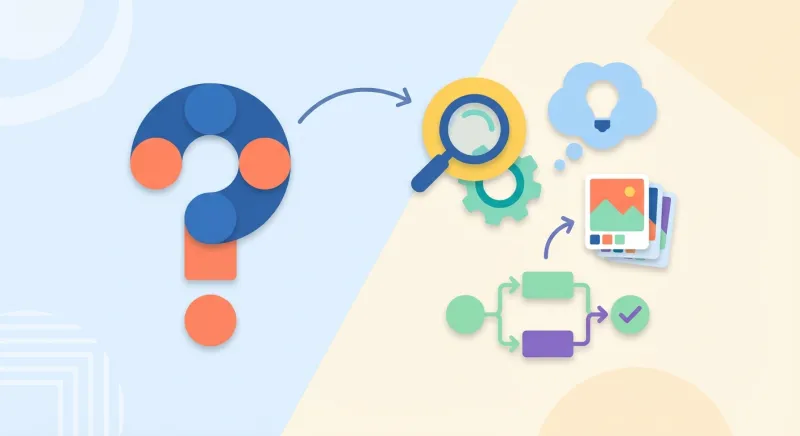
Summary of answers about usage costs, how to fix errors of not receiving orders and issues related to image copyright when using Midjourney.
Is Midjourney free? Update the price list of the latest packages
As of March 2026, Midjourney no longer offers a free trial on the Discord platform, you are required to sign up for a paid plan to use it.
A lot of people text me asking if midjourney is free? The current official answer is No. Due to the large number of abusive users, they closed the free trial program.
The cheapest midjourney service plan (Basic Plan) currently costs 10 USD/month, allowing you to create about 200 photos. If you are not ready to make a financial investment and want to find free alternatives, immediately refer to the list of Top most useful free AI tools of 2026.
Fix common errors: Photo does not match description, command does not work
Errors often come from Discord servers being overloaded, prompts containing conflicting keywords, or violating the platform's forbidden words policy.
If you type the command and the bot stops, there is a high possibility that Discord is lagging or your bank card has expired. To fix the midjourney error when the image doesn't come out right, check to see if the prompt contains opposing keywords (for example, "it's dark" and "it's sunny").
Nếu so sánh với các công cụ như DALL-E hay Stable Diffusion, Midjourney đôi khi "bay bổng" và nghệ thuật quá mức. Do đó, bạn cần dùng lệnh --stylize (hoặc --s) ở mức thấp (ví dụ --s 50) để ép nó bám sát mô tả thực tế của bạn thay vì tự do sáng tạo.
Can I use Midjourney photos for business and sales? (Copyright issue)
You have full rights to commercially use images created from Midjourney if you are on any of their paid plans and the company's revenue is less than $1 million/year.
Making money online midjourney is an exploding trend. According to the latest policy update in 2026, as long as you are using a paid package (Basic, Standard...), you are allowed to print on t-shirts, sell digital files, or make logos for customers.
However, it is necessary to pay attention to the legal aspect. The US Copyright Office has clearly stipulated: 100% AI-generated images cannot be exclusively copyrighted under your name. This means you can sell it, but you cannot sue someone else if they copy the same photo, unless the photo has undergone significant manual editing (Photoshop) on your part.
Overcoming the initial confusion with the Discord interface and lines of code, you will see that Midjourney is truly an invaluable creative "teammate". Don't just think of it as dry software, see it as a playground to test your craziest ideas. The real power does not lie in AI, but in your own command ability and rich imagination. Keep experimenting, keep making mistakes, and you will create works of art that will wow others.
Now it's your turn! Open Discord, try the first command prompt and share your most impressive results in the comments section below. I look forward to admiring your work!
Lưu ý: Các thông tin trong bài viết này chỉ mang tính chất tham khảo. Để có lời khuyên tốt nhất, vui lòng liên hệ trực tiếp với chúng tôi để được tư vấn cụ thể dựa trên nhu cầu thực tế của bạn.

![NFT Là Gì Cách Tạo Và Bán NFT Hiệu Quả [Hướng Dẫn Chi Tiết]](https://phamhai.s3.vn-hcm-1.vietnix.cloud/wp-content/uploads/2026/03/ai-nft-la-gi-cach-tao-va-ban-nft-hieu-qua-huong-dan-c-featured-228-600x400.webp)