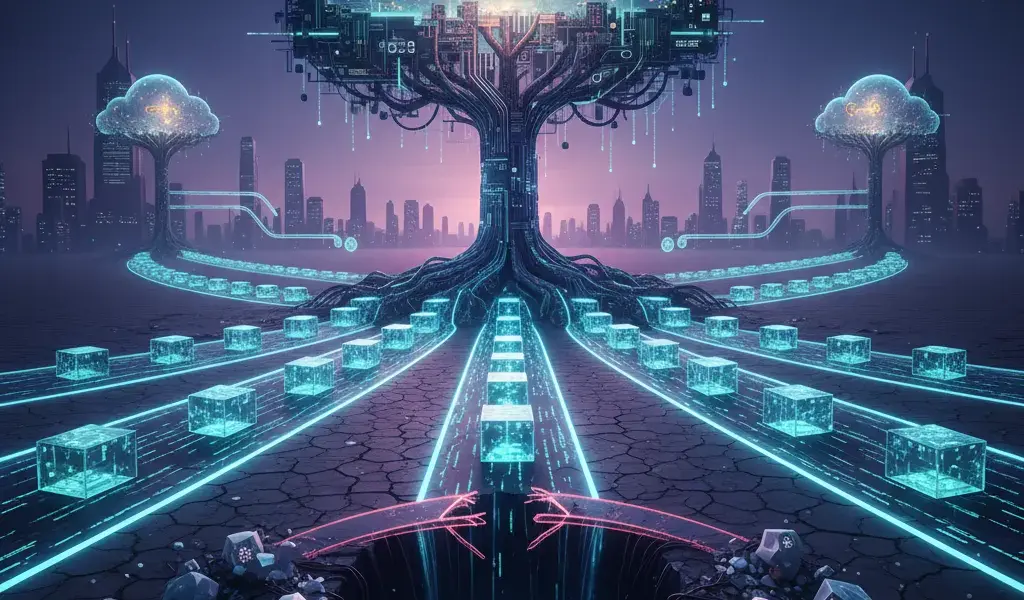
Let me tell you, in the past, I once "destroyed" an important project just because I didn't know Git, the code was overlapping each other haphazardly. My groupmate edited a file, I also edited that file, so I copied it back and forth using USB and lost all data. Git and GitHub are now no longer "nice to know", but mandatory survival skills for every developer. It is your passport to confidently work in a team and manage code like an expert. Learning Git GitHub from scratch for developers is the strongest stepping stone so that you never have to say "Hey, my code still worked yesterday!".
Why is it like "going fishing without a rod" for developers who don't know Git and GitHub?
Not knowing Git and GitHub makes it easy for developers to lose code, have difficulty working in teams, and lose their competitive advantage when applying for jobs. It is a must-have platform tool for version management and project collaboration.
Thực tế phũ phàng là nếu bạn chỉ lưu code dưới dạng final_v1, final_v2_chuan_nhat, bạn sẽ sớm bị đào thải khỏi ngành IT. Việc học Git GitHub để đi làm là yêu cầu tiên quyết trong mọi bản mô tả công việc (JD) hiện nay. Tại Phạm Hải, chúng mình nhận thấy các ứng viên thành thạo công cụ này luôn dễ dàng hòa nhập vào dự án thực tế và có mức lương khởi điểm tốt hơn.
According to the latest statistical reports as of March 2026, the GitHub platform has surpassed 180 million developers globally and is trusted by more than 92% of Fortune 100 companies. Git GitHub's benefits in software development go beyond just online storage. It helps you track each line of code in detail, know exactly who wrote it, when it was written, and why the changes were made.
What is Git? What is GitHub? Don't be mistaken, this is how to differentiate in 1 note.
Git is a version control system (DVCS) installed on computers, and GitHub is an online source code storage service built on the core of Git.
These two concepts often confuse newbies. What is Git and what is GitHub? To put it simply, Git is the "car engine" and GitHub is the online "parking lot". Below is a table to help you easily understand the difference between Git and GitHub:
| Criteria | Git | GitHub |
|---|---|---|
| Bản chất | Is a Distributed Version Control System (DVCS)) | Is an online source code hosting service (Hosting service) |
| Môi trường | Install and run locally on the computer (Local) | Operates on Cloud (Internet) platform |
| Lịch sử | Created by Linus Torvalds in 2005 | Launched in 2008, now owned by Microsoft |
You can absolutely use Git without GitHub. You can also replace GitHub with other platforms like GitLab or Bitbucket. But on the contrary, you cannot use GitHub if you do not master the Git platform.
Actual benefits of using Git & GitHub: From personal code management to good team "weighing".
Using Git & GitHub helps you keep track of change history, restore old code easily, and coordinate teamwork smoothly without worrying about file conflicts.
Cách quản lý phiên bản mã nguồn với Git giúp bạn tự tin "phá" code để thử nghiệm tính năng mới. Nếu lỡ tay làm hỏng, chỉ cần một dòng lệnh là dự án quay về trạng thái an toàn trước đó. Đây là tính năng cứu rỗi sinh mạng cho bất kỳ developer nào hay code đêm.
Besides, group work on GitHub helps dozens of people code the same project without fear of overwriting each other's files. The system will automatically warn of code conflicts (conflict) for you to proactively handle. Furthermore, GitHub is a huge open source treasure trove where you can read code and learn from millions of excellent projects around the world.
Start real combat: Install and fire the first commands.
To get started, you need to download Git software to your computer, install and configure your name and email so that the system accurately records who made the changes.
That's enough theory, now let's roll up our sleeves and practice. Git and GitHub installation is extremely quick. I recommend that you get familiar with the command line interface (Terminal/CMD or Command line) instead of using graphical interface (GUI) software from the beginning. Typing commands helps you gain a deeper understanding of the nature of the system.
Install Git on your computer (Windows, MacOS, Linux) in 5 minutes.
Visit the git-scm.com homepage to download the latest release (currently version 2.53.0 in 2026) and install according to the instructions for each operating system.
- Với Windows: Bạn vào trang chủ tải file
.exevà cài đặt với các tùy chọn Next mặc định. Sau khi xong, mở ứng dụng Git Bash lên là bạn đã có một terminal xịn xò. - Với MacOS: Bạn mở Terminal có sẵn và gõ
brew install git(nếu máy đã có Homebrew) hoặc cài đặt thông qua Xcode Command Line Tools. - Với Linux: Bạn dùng lệnh
sudo apt-get install git(dành cho các bản phân phối Ubuntu/Debian).
The latest Git version as of March 2026 is 2.53.0, providing extremely fast performance, helping to optimize the management of large projects.
Configuring personal information: Small but extremely important step.
Sử dụng lệnh git config để thiết lập username và email. Đây là định danh bắt buộc của bạn đính kèm trên mọi commit sau này.
After installation, you must "declare" your identity to the system. Otherwise, Git will not know who is the author of the lines of code. Open the terminal and type the following two commands:
git config --global user.name "Tên Của Bạn"git config --global user.email "email@example.com"
At Pham Hai, we always require new employees to use their company email for this configuration step. It contributes to showing professionalism and helps colleagues easily identify which part of the project you are in charge of.
Basic Git commands must be memorized: Workflow from Local to Remote Repository.
The standard workflow includes making changes to the Local repository, putting files into the Staging area, Committing for storage and pushing to the Remote repository.
Tolearn Git GitHub from scratch for developers without getting overwhelmed, you just need to visualize the flow of the code. Your code will move through 3 main areas on your computer:
- Working Directory: The directory you are opening to write code every day.
- Staging area: Khu vực chờ, nơi chứa các file bạn đã chọn lọc để chuẩn bị lưu lại.
- Local repository: Kho lưu trữ cục bộ trên máy, nơi ghi nhận vĩnh viễn lịch sử an toàn.
Finally, the completed code is pushed to Remote repository (like GitHub server). This is the core foundation of basic Git commands for beginners that everyone must understand.
Basic Workflow for Beginners: From Desktop to GitHub.
The basic workflow includes 4 steps: initialize the repository, add files to the queue, package changes into commits, and push code to GitHub.
Now I will show you how to use GitHub from scratch through a practical example. Let's say you're starting to create a personal portfolio website.
Khởi tạo một kho chứa (Repository): git init và git clone.
Dùng git init để tạo kho chứa mới tinh trên máy, hoặc dùng git clone để tải một kho chứa đã có sẵn từ GitHub về máy tính.
git init: Lệnh này biến một thư mục bình thường thành một Repository do Git quản lý. Bạn dùng lệnhcdvào thư mục dự án và gõ lệnh này. Một thư mục ẩn.gitsẽ được tạo ra để theo dõi mọi thứ.git clone [URL]: Nếu dự án của team đã nằm sẵn trên GitHub, lệnh Clone sẽ "bê" nguyên toàn bộ mã nguồn và lịch sử phát triển về máy bạn chỉ trong vài giây.
Đưa code vào khu vực chờ (Staging Area): git add và git status.
Lệnh git add giúp bạn chọn lọc các file muốn lưu lại, còn git status dùng để kiểm tra trạng thái hiện tại của các file trong dự án.
Sau khi viết xong giao diện cho file index.html, bạn cần đưa nó vào vùng chờ trước khi lưu.
- Bạn gõ lệnh
git add index.html(hoặc dùnggit add .để chọn tất cả file bị thay đổi). Lệnh Add này giống như việc bạn nhặt hàng hóa bỏ vào giỏ siêu thị. - Hãy dùng lệnh Status (
git status) liên tục. Lệnh này báo cho bạn biết file nào đã được chọn (hiển thị màu xanh), file nào đang bị bỏ quên (màu đỏ). Đây là thói quen cực kỳ tốt.
Đóng gói thay đổi (Commit): git commit -m "Your message".
git commit là hành động "chụp" lại trạng thái code ở vùng chờ và lưu vào lịch sử kèm theo một thông điệp mô tả thay đổi.
Sau khi hàng đã nằm gọn trong giỏ, bạn đem ra quầy thanh toán. Đó là lúc sử dụng lệnh Commit.
Cú pháp chuẩn: git commit -m "Thêm trang chủ index.html"
Thông điệp (message) đi kèm bắt buộc phải rõ ràng, đi thẳng vào vấn đề. Đừng bao giờ viết những câu vô nghĩa như "update code" hay "fix bug". Vài tháng sau đọc lại, chính bạn cũng sẽ không biết mình đã sửa gì đâu.
Đẩy code lên GitHub: git remote add origin và git push.
Sau khi commit thành công, bạn dùng lệnh git push để đồng bộ code từ máy tính cá nhân lên kho lưu trữ trực tuyến trên GitHub.
The code is now safe on your device. To share to GitHub for everyone to see, you need to link the local repo (Local) to the web repo (Remote).
- Gõ lệnh:
git remote add origin [URL_của_repo_trên_GitHub] - Tiếp theo, dùng lệnh Push:
git push -u origin main
Ngược lại, nếu đồng nghiệp của bạn vừa cập nhật một đoạn code mới lên GitHub, bạn chỉ việc dùng lệnh Pull (git pull) để kéo toàn bộ thay đổi đó về máy mình.
Work more effectively as a team with Branch and Pull Request.
When working in groups, each person will create a separate branch to code features, then create a Pull Request to manage merging the code into the main branch.
Làm dự án một mình thì bạn cứ push thẳng lên nhánh main (hoặc master) cũng không sao. Nhưng thử tưởng tượng có 5 người cùng làm? Code đè lên nhau là cái chắc. Đó là lúc sức mạnh thực sự của Git phát huy tác dụng.
What is a branch? Why "branch" to develop features?
A branch is an independent copy of the source code. Branching helps you develop new features without breaking code that is running stably in the main branch.
Branch (nhánh) hoạt động giống như các vũ trụ song song. Nhánh main là vũ trụ gốc, nơi code đang chạy mượt mà trên server. Khi bạn nhận task làm chức năng "Đăng nhập", bạn tạo một nhánh mới tên là feature-login. Bạn tha hồ vọc vạch trên nhánh này, nếu lỗi thì cứ xóa nhánh làm lại, hoàn toàn không ảnh hưởng đến nhánh main.
Tạo và chuyển nhánh: git branch và git checkout.
Dùng git branch [tên_nhánh] để tạo nhánh mới và git checkout [tên_nhánh] để di chuyển sang nhánh đó làm việc.
git branch feature-login: Lệnh này giúp tạo ra một nhánh mới.- Lệnh Checkout (
git checkout feature-login): Giúp bạn nhảy sang nhánh vừa tạo để bắt đầu viết code. Một mẹo nhỏ dành cho bạn: Bạn có thể dùng lệnh rút gọngit checkout -b feature-loginđể gộp cả 2 bước tạo và chuyển nhánh làm một cho nhanh.
Merge and resolve conflicts when there are variables.
When two people edit the same file, a conflict will occur during merge. You need to open that file, select the correct code and commit again.
Khi tính năng hoàn thiện, bạn cần gộp nhánh của mình vào nhánh main. Đó là lúc dùng lệnh Merge. Nếu may mắn, Git sẽ tự động gộp trơn tru.
Nhưng nếu bạn và đồng nghiệp cùng sửa dòng số 10 của file style.css, Git sẽ "bó tay" và báo lỗi xung đột mã. Đừng hoảng hốt! Hãy mở file đó ra, bạn sẽ thấy Git đánh dấu rõ <<<<<<< HEAD (code hiện tại) và >>>>>>> feature (code mới). Việc của bạn là xóa những ký tự thừa, giữ lại đoạn code đúng, rồi gõ lệnh add và commit lại là xong.
Pull Request: How you "ask" your boss to put your code into the main project.
Pull Request is a request to notify the team that you have finished coding, so that everyone can cross-review before officially incorporating it into the project.
Trong môi trường doanh nghiệp, bạn cực kỳ hiếm khi được tự ý merge thẳng vào nhánh main. Quy trình chuẩn là bạn đẩy nhánh của mình lên GitHub và tạo một Pull Request (PR).
Đây là lúc cả team nhảy vào xem xét code của bạn (Code review). Họ sẽ để lại comment, chỉ ra chỗ cần tối ưu. Nếu code đạt chuẩn, sếp hoặc Leader sẽ nhấn nút duyệt và merge. Nếu bạn có ý định đóng góp cho một dự án mã nguồn mở của người khác, bạn sẽ dùng tính năng Fork để copy repo của họ về máy, sửa code, rồi tạo PR gửi ngược lại cho họ.
Tips and resources to help you "upload" Git quickly.
To become proficient, you need to practice advanced commands, understand your business workflow, and take advantage of AI tools to support coding.
Learning the theory once cannot remember it all. The most effective way to learn Git is to force yourself to type commands every day. Below are some practical tips I have accumulated after many years of working.
Một vài "chiêu" Git nâng cao hữu ích: git log, git revert, git stash.
These are lifesaving commands that help you review history, safely undo erroneous commits, or temporarily store unfinished code.
git log: Giúp bạn xem lại toàn bộ lịch sử các commit. Nó hoạt động giống như một cỗ máy thời gian.git revert: Tạo ra một commit mới để đảo ngược lại những thay đổi của một commit cũ bị lỗi. Nó an toàn hơn nhiều so với lệnhgit resetvì không làm mất đi lịch sử trước đó.git stash: Giả sử bạn đang code dở tính năng A thì sếp gọi fix bug khẩn cấp. Bạn dùng lệnh này để "cất tạm" code vào ngăn kéo, chuyển nhánh fix bug xong xuôi rồi dùnggit stash poplấy code ra làm tiếp.
Popular Git Workflows that companies are using.
Companies often apply Git Flow or GitHub Flow to standardize the workflow from writing code to posting it to the server.
Each company will have its own Workflow standards. The most popular today are Git Flow (extremely clear feature branch, test branch, release branch) and GitHub Flow (fast, focusing mainly on CI/CD). After pushing code to GitHub, companies often use GitHub Actions to automatically deploy CI/CD tests to minimize manual operations. Understanding this process helps you score absolutely points in the eyes of employers.
Reputable learning resources and intuitive tools for extra practice.
You can learn through interactive websites or use modern editors with integrated AI to optimize the process of working with Git.
The Learn Git Branching website is a great mini-game to help you visualize how branches work. In addition, with the explosion of artificial intelligence, many of you wonder whether GitHub Copilot is worth using for developers when first learning to code. With your experience, you should master the Git command platform first, then use AI as a powerful assistant to speed up command typing.
Besides, in addition to the familiar VS Code, you can also refer to Cursor AI code editor with AI instructions to write code and run Git commands directly on an extremely smart and modern interface.
Learning Git GitHub from scratch for developers is like the process of learning a new programming language, requiring patience and practice every day. Don't just read the theory, turn on the computer, create a repository and commit the first lines of code. Gradually, it will become a natural reflex of your hands, an indispensable skill that will help you go further in this challenging but also very interesting developer career. At Pham Hai, we always believe that a solid code management platform will be a launching pad to create great software.
Try it now! Create a repository on GitHub, write a file "hello_world.txt" and do your first add - commit - push cycle today!
Lưu ý: Thông tin trong bài viết này chỉ mang tính chất tham khảo. Để có lời khuyên tốt nhất, vui lòng liên hệ trực tiếp với chúng tôi để được tư vấn cụ thể dựa trên nhu cầu thực tế của bạn.