Manually coding a WordPress theme is the most optimal way to own a unique, SEO-compliant website with outstanding speed. This article will be a guideline, guiding you through the entire WordPress theme coding process from A-Z, from preparing the foundation to completion. At Pham Hai: Personal Blog, we believe that mastering the source code will help you break through limits, creating a professional product that perfectly meets all modern web technical standards.
Why Should You Code Your Own WordPress Theme Instead of Using an Existing Theme?
Coding a WordPress theme yourself gives you absolute advantages in customization, page load performance, and security, helping you escape the bulkiness of mass commercial themes.
Using a pre-existing theme is convenient but often comes with redundant source code and countless unnecessary plugins. When you code your own WordPress theme, you are building a separate, lightweight platform that accurately serves your business purposes.
Full control over appearance and features (UX/UI)
Self-programming helps you intervene deeply in every UX/UI detail, designing a professional WordPress interface that matches your brand identity.
You are no longer constrained by available Theme Options or page builder limitations. Instead, you decide for yourself the location of each Widget, the menu structure, or how the posts are displayed. Every graphic detail and motion effect is hand-tuned to bring the most perfect user experience.
Optimized performance and outstanding page loading speed
A self-coded theme only loads the truly necessary resources, helping to improve Core Web Vitals scores and increase page loading speed.
According to web performance reports as of March 2026, optimizing WordPress theme speed is a vital factor to retain users. Manual coding helps eliminate dozens of redundant CSS/JS files. You can immediately apply modern techniques such as lazy loading of WebP/AVIF format images, helping your website achieve a perfect score on Google PageSpeed Insights.
Clean source code, SEO friendly
Clean code with semantic HTML structure helps Google bots easily crawl and index content.
Creating an SEO-friendly WordPress theme starts with a reasonable structure of heading tags (H1-H6), streamlined code and ensuring Responsive Design on all devices. If you want to dig deeper into overall ranking strategy, mastering wordpress seo optimization is a topic not to be missed.
Enhanced security, limiting vulnerabilities from third-party plugins/themes
Coding yourself helps reduce dependency on plugins, thereby closing backdoors commonly found in null or low-quality themes.
Website security is a top priority in 2026. When you write your own code, you control sanitize and escape data functions, effectively preventing XSS or SQL Injection attacks. Furthermore, limiting the installation of third-party plugins significantly reduces security risks.
Solid Foundation: Knowledge and Tools Needed to Prepare

To get started, you need to master the quartet of web languages (HTML, CSS, JS, PHP), understand databases and set up a Localhost environment.
The knowledge required to code a WordPress theme is not too strict but requires thoroughness. At Pham Hai: Personal blog, we always advise newcomers to start from the roots instead of mechanically copying code.
Core programming languages: HTML, CSS, JavaScript and PHP
HTML creates frames, CSS creates beauty, JavaScript creates interactivity, and PHP is the main logic processing language of WordPress.
You cannot watch WordPress theme programming instructions from scratch if you ignore PHP. WordPress is written in PHP, so every template file uses this language to communicate with the system. The smooth combination of these 4 languages is the key to creating a vibrant interface.
Basic understanding of WordPress and MySQL database
Mastering how WordPress organizes data in MySQL helps you retrieve and display post information accurately.
The database stores everything from articles and categories to system configuration. Before diving into the code, participating in the basic wordpress learning route will help you become familiar with the platform's management ecosystem and data architecture.
Localhost programming environment: Install XAMPP
Xampp is software that creates virtual servers (Localhost) on personal computers, allowing you to test themes without buying hosting.
To ensure safety, all coding operations should be performed offline. The process of installing wordpress on localhost is very simple and is a mandatory step in the steps of building a WordPress theme. It helps you quickly test errors (debug) before putting the website on the real environment (live server).
Code Editor
Using software like Visual Studio Code, Sublime Text or PhpStorm helps write code quickly and detect errors easily.
Visual Studio Code (VS Code) is currently the number 1 choice of programmers. Thanks to a rich extension system that supports WordPress snippets, automatically formats clean source code and integrates Terminal, VS Code helps increase working speed many times.
Building the "Skeleton" Theme: File Structure and Template Hierarchy
WordPress theme structure includes PHP and CSS files organized according to Template Hierarchy rules, deciding which files will display which content.
This is the most essential part when performing manual WordPress theme optimization. Mastering this structure helps you navigate and have complete control over the face of the website.
Indispensable files: style.css and index.php
Mỗi theme bắt buộc phải có style.css để khai báo thông tin theme và index.php làm file hiển thị mặc định cuối cùng.
- style.css: Chứa các đoạn mã CSS định dạng giao diện. Đặc biệt, phần header comment ở đầu file dùng để khai báo tên theme, tác giả, phiên bản.
- index.php: File fallback (dự phòng) cho mọi truy vấn nếu hệ thống không tìm thấy template cụ thể hơn.
Basic template files: header.php, footer.php, sidebar.php
These are template parts that help reuse common areas such as headers, footers, and side columns.
Bằng cách sử dụng các hàm get_header(), get_footer(), get_sidebar(), bạn có thể gọi các phần này vào bất kỳ trang nào. Điều này giúp mã nguồn trở nên gọn gàng, khi cần sửa menu hay thông tin bản quyền, bạn chỉ cần sửa ở một file duy nhất.
Important function file: functions.php
functions.php hoạt động như một plugin riêng của theme, dùng để khai báo tính năng, đăng ký menu và chèn các file tài nguyên.
This file is automatically loaded every time the website is active. This is where you declare supporting features like thumbnails, define custom functions, and set up hooks that interfere with WordPress core.
Files displaying detailed content: single.php and page.php
single.php chịu trách nhiệm hiển thị nội dung của một bài viết blog (post), trong khi page.php hiển thị các trang tĩnh (page).
Clear separation helps you easily design a different layout. For example, blog posts often have a sidebar containing related articles, while the introduction page (page) is often designed to be full-width to optimize the reading experience.
Understand clearly about WordPress Template Hierarchy to customize display
Template Hierarchy is a hierarchy that regulates the priority order of WordPress file loading when users access a URL.
According to the updated WordPress Codex document until 2026, this hierarchy remains absolutely logical.
| Page Type | Priority 1 (Highest) | Priority 2 | Priority 3 (Contingency) |
|---|---|---|---|
| Trang chủ | front-page.php | home.php | index.php |
| Bài viết | single-{post-type}.php | single.php | index.php |
| Chuyên mục | category-{slug}.php | category.php | archive.php |
Hệ thống này đảm bảo website không bao giờ bị lỗi trắng trang, vì luôn có index.php làm bệ đỡ cuối cùng.
"Bringing Soul" to Theme: Displaying Dynamic Content With The Loop
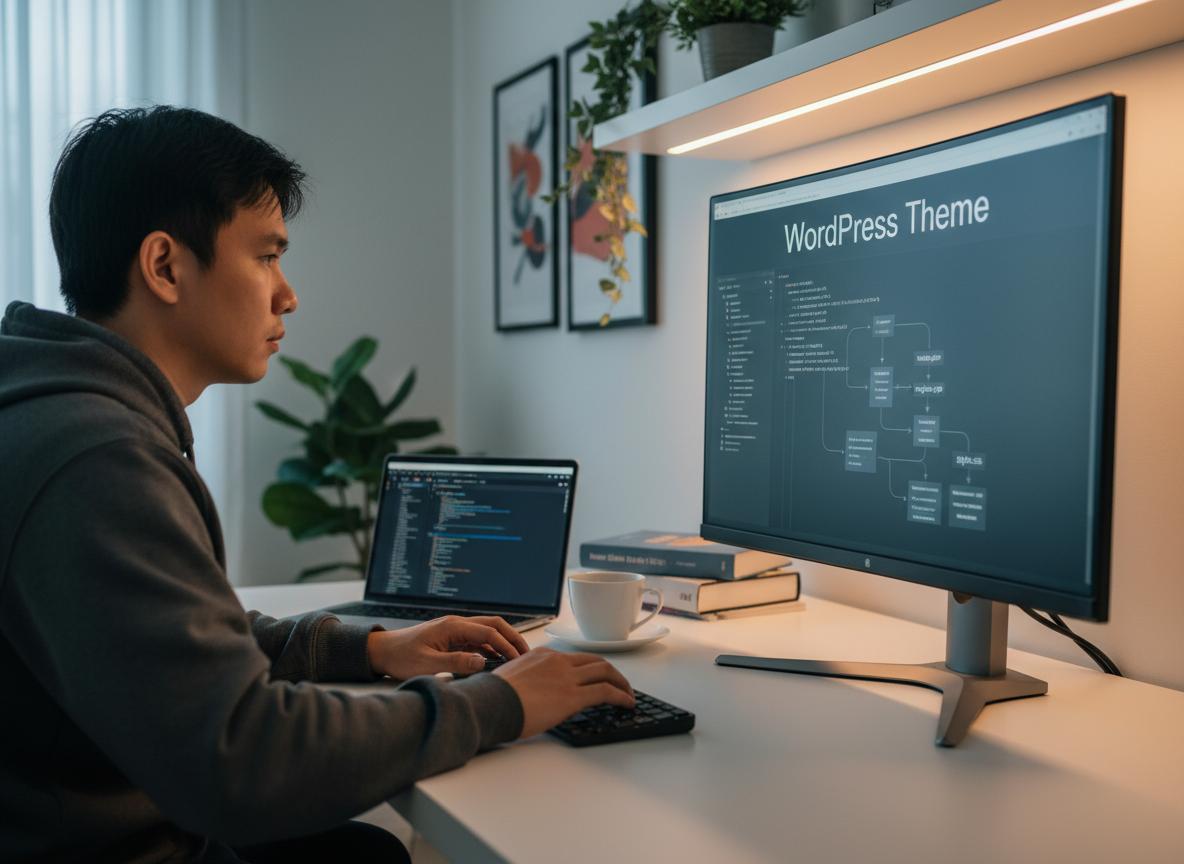
The Loop is the core PHP loop used to retrieve and display article data from the database to the interface.
Without The Loop, your themes are just lifeless static HTML pages. This is the mechanism that helps WordPress become a powerful content management system (CMS).
What is The Loop and its role in WordPress?
The Loop checks to see if any posts match the current query and loops through each post to print the data to the browser.
It is the heart of every WordPress theme structure. Whether you are on the home page, category page or search page, The Loop always "pulls" content from the MySQL database and displays them according to the HTML structure you have set.
Basic syntax and how to use The Loop to retrieve articles
Cú pháp bắt đầu bằng if ( have_posts() ) : while ( have_posts() ) : the_post(); và kết thúc bằng endwhile; endif;.
Đoạn mã này đảm bảo rằng hệ thống chỉ chạy khi có dữ liệu. Hàm the_post() rất quan trọng vì nó thiết lập dữ liệu của bài viết hiện tại, giúp các hàm hiển thị bên trong vòng lặp hoạt động chính xác.
Integrate functions to display article information (thetitle, thecontent, the_excerpt…)
Bên trong The Loop, bạn sử dụng các Template Tags như the_title() để lấy tiêu đề, the_content() lấy nội dung chi tiết.
Some of the most popular functions include:
the_title(): In ra tiêu đề bài viết.the_permalink(): Lấy đường dẫn URL của bài viết.the_post_thumbnail(): Hiển thị hình ảnh đại diện.the_category(): Liệt kê các chuyên mục của bài.
Comprehensive Optimization: Upgrade Theme to SEO Standards, Speed and Security
A good theme is not only beautiful but also must comply with strict standards for on-page SEO, loading speed and data security.
This is the step that differentiates between an amateur coder and a professional WordPress interface design expert.
Optimize SEO: Ensure Responsive Design, clean source code, reasonable heading structure
The theme needs to display well on all mobile devices (Responsive), using only one H1 tag for the main title and H2 and H3 tags for secondary arguments.
Cấu trúc HTML5 ngữ nghĩa (semantic) như <header>, <article>, <nav> giúp bọ tìm kiếm hiểu chính xác ngữ cảnh trang web. Đảm bảo mã nguồn sạch sẽ giúp cải thiện đáng kể ngân sách thu thập dữ liệu (Crawl Budget) của Google.
Speed Optimization: Use wpenqueuestyle and wpenqueuescript to load CSS/JS properly
Tuyệt đối không nhúng trực tiếp CSS/JS vào thẻ <head>. Hãy dùng hàm wp_enqueue_style và wp_enqueue_script trong functions.php.
This helps WordPress manage resource files, avoiding duplicate downloads and conflicts. Furthermore, it allows cache plugins to work effectively (for example, minifying and compressing files), optimizing page load speed to the maximum.
Basic steps to enhance theme security
Cần sử dụng các hàm Data Validation và Sanitization (như esc_html(), esc_url()) trước khi in dữ liệu ra màn hình.
At Pham Hai: Personal Blog, we always emphasize checking input and output to prevent malicious code. Additionally, the use of Nonces in form data is mandatory to prevent CSRF attacks.
Expanded Features and Advanced Customization
To make the theme flexible, you need to integrate Widget areas, Menu system and Customizer options.
These are advanced WordPress theme customization techniques that help your website be easily managed by people who don't know how to code.
What is Child Theme? Why should you use Child Theme?
A child theme is a sub-theme that inherits all the features of the parent theme, helping you modify the code without losing it when the parent theme updates.
If you are using an existing theme and want to intervene deeply in the code, creating a Child Theme is required. It keeps your customizations safe from any updates from the developer.
Instructions for creating and customizing Child Theme
Cách tạo child theme trong WordPress bắt đầu bằng việc tạo một thư mục mới, thêm file style.css khai báo "Template: tên-theme-mẹ" và file functions.php.
Sau đó, bạn dùng wp_enqueue_style để gọi CSS của theme mẹ. Bất kỳ file nào bạn tạo trong child theme (ví dụ như header.php) sẽ tự động ghi đè file tương ứng của theme mẹ, mang lại sự linh hoạt tuyệt đối.
Use Theme Customizer to create theme options
The Customizer API allows users to change colors, logos, and layouts directly on the intuitive WordPress interface.
Customizer integration elevates your theme, turning it into a true commercial product. You can define custom Theme Options without the user having to touch a single line of code.
Integrate Widgets and Menus into the theme
Sử dụng hàm register_nav_menus() để tạo vị trí đặt Menu và register_sidebar() để tạo các khu vực chứa Widget ở Sidebar hoặc Footer.
Sau khi đăng ký các khu vực này trong functions.php, bạn sử dụng wp_nav_menu() và dynamic_sidebar() để gọi chúng ra ngoài giao diện. Điều này giúp người quản trị dễ dàng kéo thả các khối nội dung (Plugin, Bài viết mới, Banner) trực tiếp từ Dashboard.
Coding a WordPress theme from scratch can be challenging but offers invaluable benefits in terms of customization, performance, and SEO. By mastering file structure, The Loop, and optimization techniques, you're equipped to build professional interfaces. Start your own project to turn this knowledge into a real, unique and powerful product. Mastering WordPress theme code from A-Z will open up countless opportunities for you in your web development career.
Are you ready to build your own WordPress theme? If you have any questions during the implementation process, don't hesitate to leave a comment below for support!
Note: The information in this article is for reference only. For the best advice, please contact us directly for specific advice based on your actual needs.