
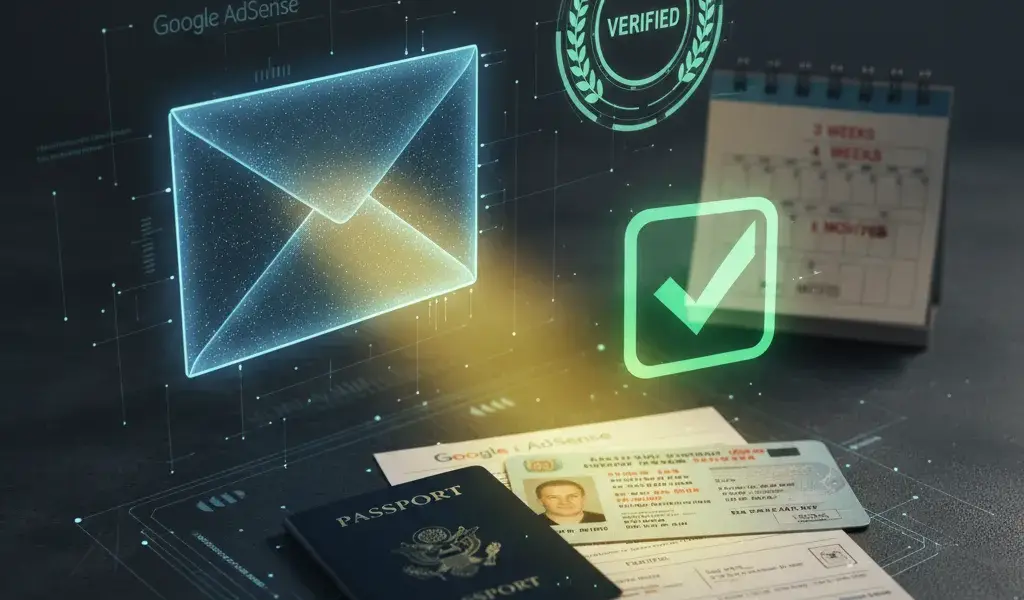
How to Verify Adsense Pin Verification Address Without PIN Code
Waited for 3 weeks, then 4 weeks, even 4 months and still got no response from the email containing the Google AdSense PIN code? I know that feeling, my heart is burning like fire because I'm afraid my account will stop displaying ads. But don't worry, this is not the end. In fact, there is an official way from Google for Adsense pin verification to verify addresses without needing a physical PIN, just your identification documents. I will show you exactly how I did to successfully overcome this hurdle.
Instructions for verifying AdSense address with identification documents (What to do when you do not receive a PIN)
To verify adsense with ID, you need to visit Google's PIN troubleshooting tool, fill out the support form, and upload a photo of your valid ID. The review process usually takes place very quickly, sometimes in just a few minutes.
Many people texted me asking for instructions on verifying adsense without pin because they were afraid of having their money locked up for too long. At Pham Hai, we have helped hundreds of YouTubers overcome this step easily. This is a completely valid and official solution when there are problems with the post office. You just need to understand how to verify adsense address without pin code through the official support form and everything will be resolved.
Necessary and sufficient conditions to unlock the PIN-less verification feature
You are only allowed to unlock this feature after you have reached the $10 verification threshold, requested to send your PIN 4 times (1 original and 3 resends), and have waited 3-4 weeks since the last request.
Google does not automatically open a form for you to upload documents from the beginning. First, your AdSense account must meet minimum revenue. For beginners, learning What is Google Adsense and how to sign up successfully is an important first step to setting everything up correctly from the beginning.
After reaching the threshold, you must patiently perform how to verify adsense pin the 4th time. That means you have pressed the request button to resend the incoming message for the 3rd time (plus the first automatic sending for a total of 4 times). As of the latest updates in March 2026, you still have to wait 3 weeks after the last click for the support link to appear.
Documents accepted by Google (ID/CCCD, passport, driver's license)
Google accepts government-issued identification documents such as ID card, CCCD, passport or Driver's license. Documents must be valid, clearly photographed and have an address that completely matches your payment records.
To verify adsense address with cmnd successfully the first time, you need to prepare a sharp copy. Absolutely do not let the image be exposed to flash light, obscure or lose corners.
| Document type | Mandatory requirement | Additional notes |
|---|---|---|
| CCCD/ID card | Take clear photos of both front and back sides | Must have expiration date |
| Passport | Take a clear photo of the page with photo and signature | Documents proving address must be attached if the passport does not clearly state it |
| License | Clear, no blurred information | Only use a driver's license issued by a state agency |
Little tip from my real-life experience: The address printed on the document must be exactly the same comma-by-comma as the address you declared.
4-step verification process via Google support link
Access the "PIN troubleshooter", log in to the correct account email, answer the questions to confirm the status of not receiving the PIN, and finally fill out the form attaching a photo of the document.
This is the most accurate process to handle the problem of Google AdSense not sending PIN code to you. Please follow these 4 steps exactly:
- Bước 1: Đăng nhập vào trình duyệt bằng chính email đang quản lý tài khoản AdSense của bạn.
- Bước 2: Truy cập vào trang "Trình khắc phục sự cố mã PIN" (AdSense PIN Troubleshooter) trong trung tâm trợ giúp.
- Bước 3: Hệ thống sẽ hỏi bạn đã nhận được thư chưa, hãy chọn "Không". Tiếp tục trả lời các câu hỏi xác nhận cho đến khi hệ thống hiển thị tùy chọn "Liên hệ với chúng tôi" (Contact form).
- Bước 4: Điền đầy đủ Họ Tên, Email, Mã nhà xuất bản (Publisher ID dạng pub-xxxxxxxx). Tải ảnh chụp giấy tờ lên và bấm Gửi. Thường thì Google sẽ duyệt và báo thành công qua email chỉ trong vòng 10 đến 15 phút.
Why haven't you received your AdSense PIN? Reasons for "oh my god" and how to fix it
The main cause is usually due to errors when filling in address information, missing postal codes (Zip code), or due to errors from the local postal carrier.
When someone complains that they haven't received their adsense pin code, what should they do? I usually tell them to calmly check their settings information first. The fact that google adsense does not send a pin code (actually the letter is sent from abroad but does not reach you) is an extremely common adsense address verification error in Vietnam.
Error in address information: Classic errors and how to correct them to meet postal standards
In order for the postman to deliver the correct letter, you need to clearly state the house number, alley, ward, and especially the correct postal code (Zip code) of the post office closest to your home, along with the phone number.
Many of you fill out payment profile too sketchily. The postman looks at a general address like "Village A, Commune B", how will they know which house to deliver to? You need to go to Billing, select Manage settings and fix it immediately. Besides worrying about the PIN code, you also need to understand Adsense policy to avoid account ban to keep your channel absolutely safe in the meantime.
My experience is to add your phone number to the "Address 2" line (For example: Please call 090xxxxxxx when delivering). The postman sees the phone number and will call you immediately. In addition, look up the exact 5-digit Zip code of the ward/commune post office where you live instead of using the general code of the entire province.
Problems from shipping units: Share personal experiences about working with local post offices
Mail containing a PIN code is regular international mail without a tracking code, so it's easy to get stuck or lost at the local post office if you don't proactively ask.
Google mail is sent via the regular postal service. When it arrives in Vietnam, it will be mixed in with the pile of mail at the commune/ward post office. Because there is no phone number printed on the cover (if you don't use the tip above), the postman is very hesitant to go looking for a house.
I once had to take the initiative to go to the post office near my house, buy the postman a cup of coffee and ask for help: "Dear, I'm waiting for a letter from abroad, the white envelope has the big word Google on it. When you get there, please call me to pick it up." This direct communication method is almost absolutely effective.
Standard waiting times and when you should request a new PIN (2nd Time, 3rd Time)
Thời gian nhận mã pin adsense chuẩn là từ 2 đến 4 tuần. Nếu quá 3 tuần kể từ ngày gửi mà vẫn chưa nhận được thư, bạn nên đăng nhập và bấm yêu cầu gửi lại mã PIN mới ngay lập tức.
Don't sit and wait in vain. Every 21 days and your mailbox is still empty, go back to your account and click "Resend PIN". Don't be afraid that the old PIN code will be canceled on its way back.
In fact, all 4 times Google sent emails contained the exact same sequence of 6 numbers. Whichever envelope you receive first, just enter that number and you're done. Clicking resubmit on time helps you quickly qualify to use the support form.
Answers to frequently asked questions around AdSense verification
Below are the most common questions about workarounds and how to troubleshoot when the account verification process goes wrong, helping you feel more secure when creating content.
In the process of consulting with content creators, we receive countless questions over and over again. Understanding these regulations will save you months of tiring waiting. When the ads are restored, you should review Most optimal Adsense ad placement to make the most of the existing traffic.
How are identity verification and address verification different?
Xác minh danh tính là bước chụp ảnh giấy tờ chứng minh bạn là người thật (thực hiện trước). Xác minh địa chỉ là bước nhập mã PIN gửi qua thư để chứng minh nơi ở (thực hiện sau).
Many newbies often get confused between these two concepts. Google adsense identity verification (Identity Verification) is the first barrier. You are required to upload documents so Google knows who you are. Only when this step is "Done", Google will start printing the message containing the sending code.
Then comes the step of verifying residence by handwritten letter. You are required to complete both of these steps to be eligible to receive payment and withdraw money to the bank.
What happens if the address has not been successfully verified after 4 months?
If after 4 months from the date the first PIN was created you still haven't verified it, Google will suspend your account and stop showing ads across your entire channel or website.
This is truly the biggest nightmare for those who make YouTube or Website. If you neglect, the system will automatically cut off all revenue sources. This means your income will plummet.
But rest assured, the money previously accumulated in your account will not be lost anywhere. As soon as you verify successfully, the ad will appear normally again. After solving this problem, our next goal is definitely Optimize Adsense income to increase CPC RPM to increase profits and compensate for the interrupted time.
Already asked for PIN for the 4th time but still want to verify with documents?
Absolutely. In fact, you must wait for the 4th PIN request to fail and after the waiting time, the system will allow you to use the paper verification method.
Many people wonder if it is possible to skip waiting for the mail and send the documents quickly. The answer is NO. That is Google's mandatory security procedure. You cannot jump to the step of using the support form if you have not gone through the required number of mailings.
Consider waiting for the letter as a mandatory administrative procedure, while uploading documents via the support link is the final "salvage" to help you protect your earning results and receive income you deserve.
In short, not receiving messages containing secret codes is an extremely common problem in Vietnam and is not your own channel's fault. The most important thing is that you need to stay calm, carefully check the address in your profile, proactively request to resend it 3 times and then Google will open a path for you to verify with your identification documents. This is a completely legitimate, safe alternative that ensures your hard work is fully rewarded. At the same time, always proactively complete Adsense pin verification to verify your address as soon as possible so that your cash flow is not interrupted. Wishing you successful operations and explosive revenue!
Have you ever had trouble with your AdSense PIN? Please share your stories and solutions in the comments section below to help other creators!
Note: The information in this article is for reference only. For the best advice, please contact us directly for specific advice based on your actual needs.

![CPanel Hướng Dẫn Sử Dụng Cho Người Mới [Dễ Hiểu, Từng Bước]](https://phamhai.s3.vn-hcm-1.vietnix.cloud/wp-content/uploads/2026/03/ai-cpanel-huong-dan-su-dung-cho-nguoi-moi-de-hieu-tun-featured-602-600x400.webp)